
Feature · Pack & Dispatch
Every shipment picked,
packed and documented.
DynamxMFG manages the full dispatch process, from picking finished goods to packing into boxes and pallets, creating shipments and generating dispatch notes. Digital, audited, and connected directly to your sales orders.
The problem
Dispatch is where good production goes wrong at the last moment
A job can run perfectly through production and still leave the building incorrectly. Wrong quantities, missing items, no record of what went where. Dispatch errors are expensive, and they are the ones customers notice most.
Wrong items or short quantities shipped
Without a structured pick and pack process, dispatch relies on whoever is packing knowing what should go in each box. Mistakes only surface when the customer complains.
No record of what went into which box
Items are packed and labelled by hand with no system record of the contents. When a customer queries a delivery, there is no audit trail to check against.
Dispatch notes typed up afterwards
Someone types a dispatch note in Word or Excel after the goods have left. The document is often incomplete, filed inconsistently and impossible to search later.
Pick, pack, ship
Pick items, pack into containers and create the shipment in one place
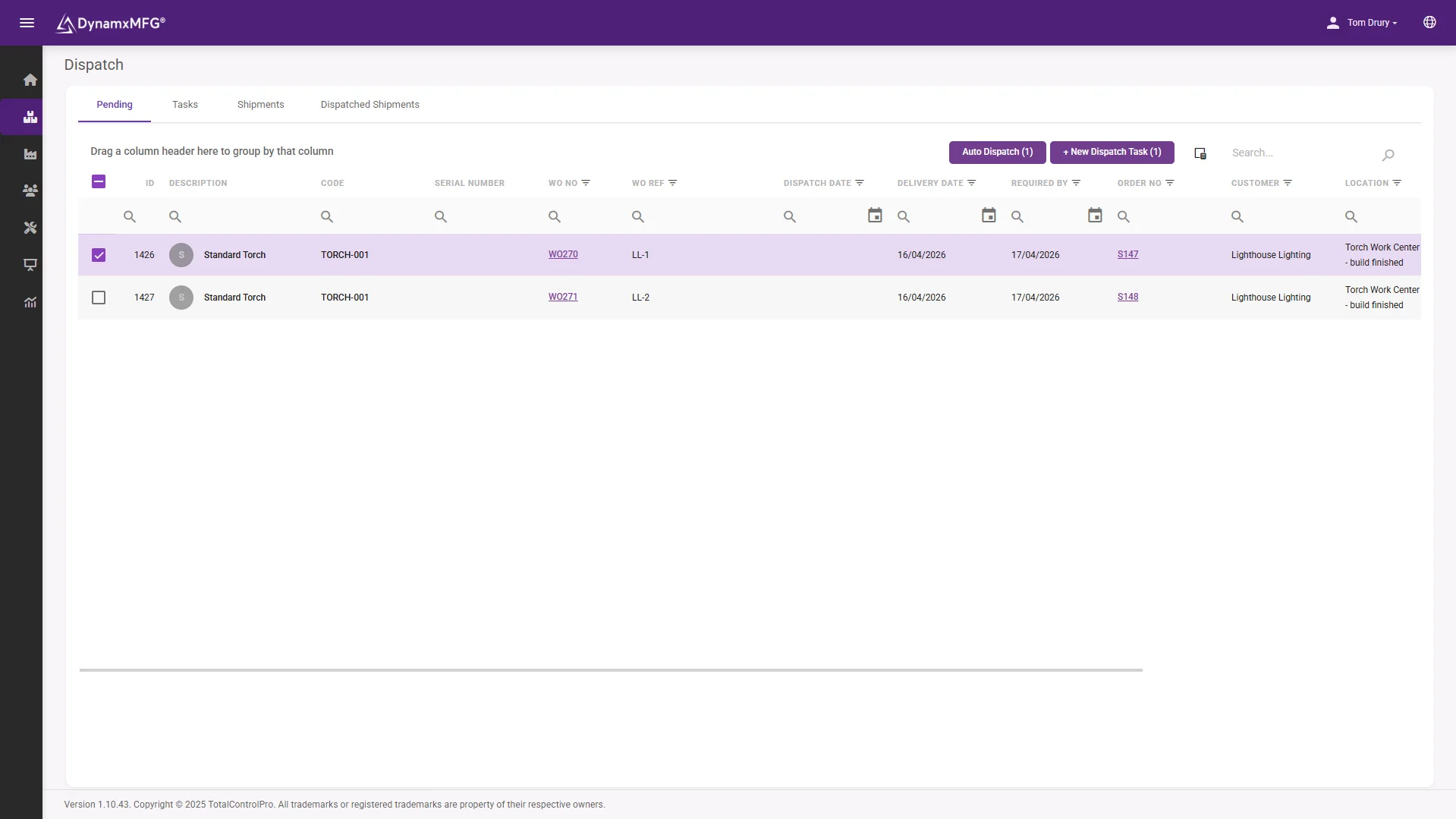
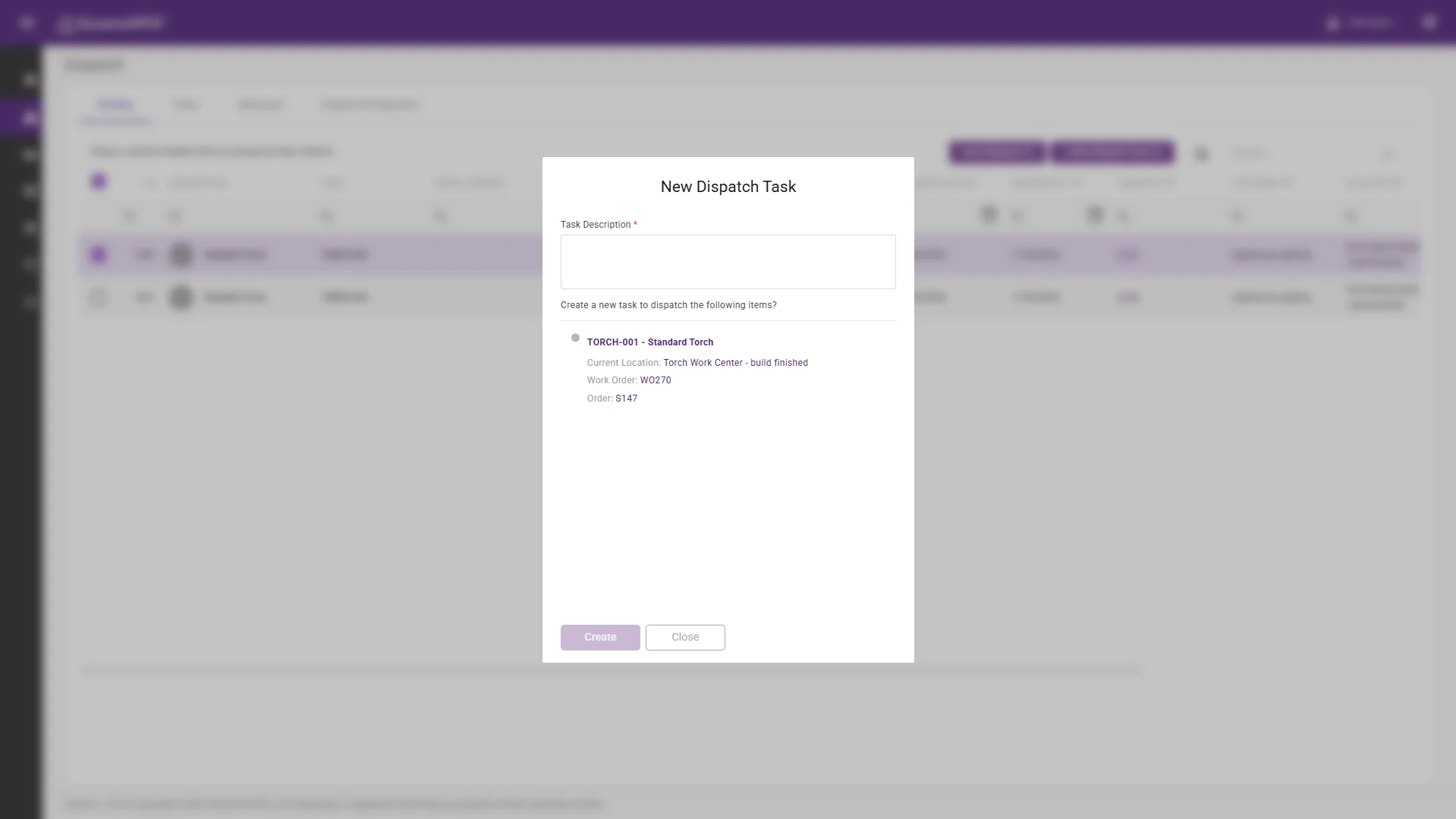
When a sales order is ready for dispatch it appears in the Pending tab of the Dispatch screen. Select the items, create a dispatch task and hand it to the dispatch team. From the Advanced Interface, operators open the task, pick each item to transit, then pack items into the appropriate container type.
Once packing is complete the shipment is created from the Unshipped Packing Items tab. Every item packed, every container used and the shipment reference are recorded against the original sales order, with a full audit trail back to the work order that produced the goods.
- Dispatch tasks handed straight to the team
- Pick to transit, then pack into containers
- Full audit trail back to the work order
Packing types
Boxes, crates and pallets that nest the way your team actually works
Packing Types are configured with a hierarchy level: boxes sit inside crates, crates sit on pallets, and pallets go on to vehicles. The system enforces the hierarchy, so a smaller container can be packed into a larger one but never the other way around. No mis-packing, and no items assigned to a container that cannot hold them.
Configure as many packing types as your operation needs, by weight class, product family, customer requirement or courier specification. Each type is named and assigned a level number, and the dispatch team selects the right container on the touch screen when packing.
- Hierarchy enforced from box to pallet to vehicle
- As many packing types as your operation needs
- Container chosen on the touch screen when packing
Auto Dispatch
When speed matters more than packing complexity, dispatch in one click
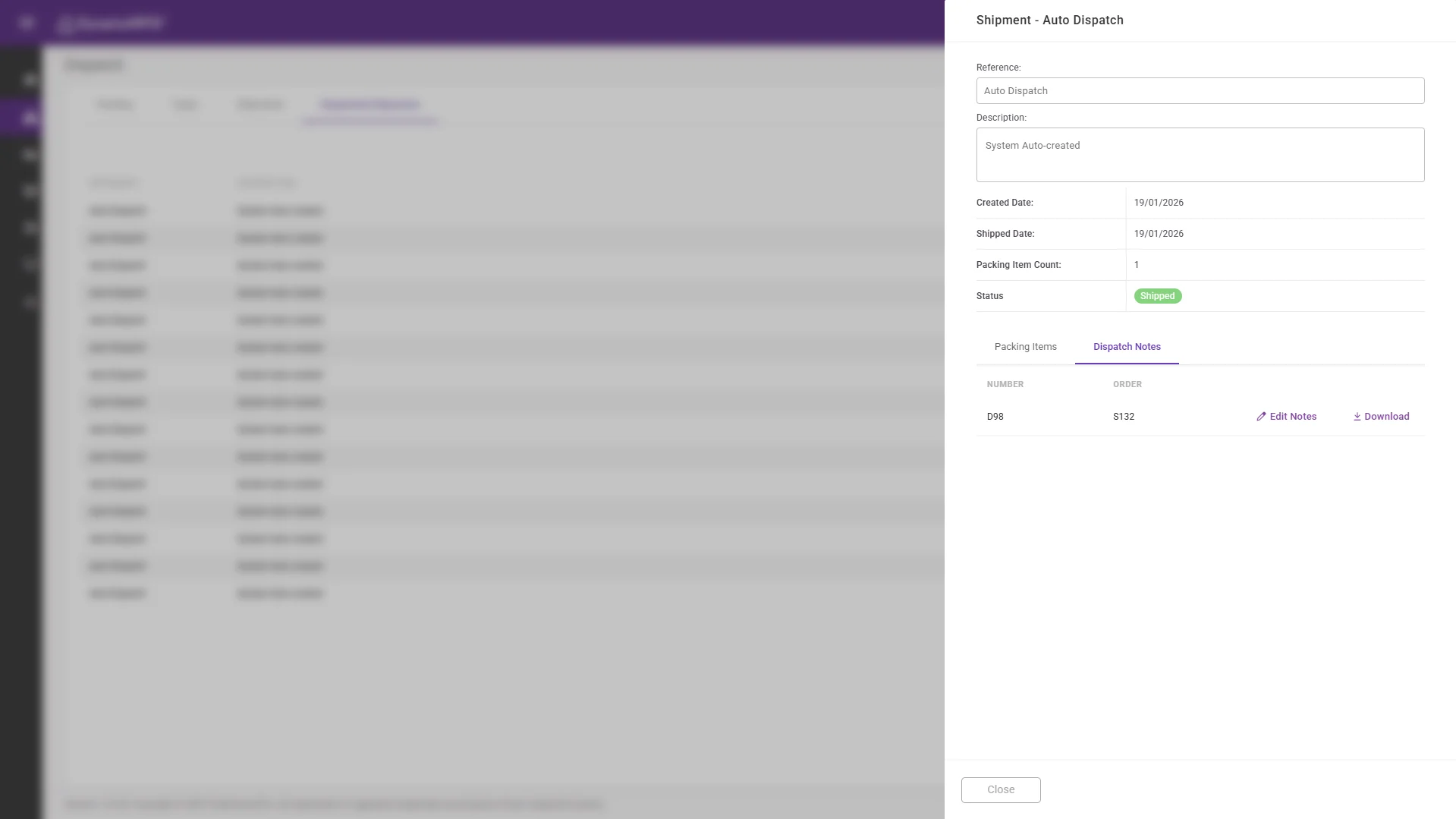
For straightforward despatch, where items go directly from production to the customer without complex packing, Auto Dispatch handles the whole process in a single action. Open the sales order or the dispatch pending tab, select the items, enter a dispatch reference and confirm. The order is marked as dispatched immediately.
Auto Dispatch also works at parent assembly level. When all externally assembled components of a parent item are dispatched, the parent can be set to auto-dispatch too. Configure it once in settings and it runs on every qualifying order from then on.
- Whole dispatch completed in a single action
- Works at parent assembly level too
- Configure once, then it runs automatically
The detail
Everything else in pack and dispatch
The details that keep your despatch process clean, auditable and fast.
Dispatch notes on demand
Every shipment generates a dispatch note, downloadable directly from the Shipments tab and produced from system data rather than created by hand.
QR label printing
Print QR labels for finished goods directly from the Goods In or dispatch interface. Labels carry item, batch and order references for full traceability.
Shipment history
Every shipment is recorded and searchable from the Shipments tab: what went out, when, in which containers and against which sales order.
Partial dispatch
Dispatch part of a sales order and leave the remainder pending. The system tracks which lines have shipped and which are still outstanding on the order record.
Auto complete on dispatch
Configure the system to mark a sales order complete automatically once all lines are dispatched, removing a manual step at the end of fulfilment.
Full order traceability
From dispatch note back through the work order, the BOM and the purchase orders that supplied the materials. Every item shipped has a complete digital trail.
Connected
Dispatch that closes the loop with your accounts system
When an order is dispatched in DynamxMFG the event flows through to Sage or Xero automatically. Sales invoices are triggered without manual intervention, stock levels update, and month-end reconciliation becomes straightforward rather than painful.
CRM integration means your CRM is updated when an order ships, keeping customer-facing teams informed without anyone having to chase the warehouse for an update.
See all integrations →










Questions
Pack and dispatch FAQs
How does an order get from production to dispatch?
Once production completes, the sales order appears in the Pending tab of the Dispatch screen. You select the items, create a dispatch task, and the dispatch team picks and packs it through the Advanced Interface.
Can we control how items are packed?
Yes. Packing Types are configured with hierarchy levels so boxes go into crates, crates onto pallets and pallets onto vehicles. The system enforces that hierarchy, so a container can never be packed into something smaller than itself.
What if we do not need complex packing?
Use Auto Dispatch. Select the items, enter a dispatch reference and confirm, and the order is marked dispatched in a single action. It can also be set to run automatically at parent assembly level.
Can we ship part of an order?
Yes. Dispatch the lines that are ready and leave the rest pending. The order record tracks which lines have shipped and which are still outstanding.
Do dispatch notes get created automatically?
Yes. Every shipment generates a dispatch note from the system data, downloadable from the Shipments tab. There is no manual document to type up after the goods have gone.
Does dispatch update our accounts system?
Yes. Dispatching in DynamxMFG flows through to Sage or Xero automatically, triggering sales invoices and updating stock levels without manual intervention.
Related
Explore further
The capability pages, definitions and reading that sit behind this part of DynamxMFG.
See your dispatch process running in DynamxMFG
Book a 15 minute demo and we will walk through pick, pack and ship with your actual products, not a generic walkthrough.
Book a Demo

