
Industry · Precision Engineering & CNC
Know the true cost of
every component you machine.
DynamxMFG gives high-mix CNC and precision shops live machine utilisation, estimated versus actual cost on every job, and one view of hundreds of jobs at once. Quote on real numbers, not gut feel.
Sound familiar?
The things that quietly eat margin in a busy CNC shop
High-mix, low-volume work is hard to see clearly. When you are running hundreds of jobs a month, the problems are rarely dramatic. They are small, repeated, and only visible once the money has gone.
Quoting on gut feel
You price jobs on experience, then find out months later whether you actually made money on them. The next quote repeats the same assumption.
Machines idle, jobs waiting
Capacity is hard to see, so machines sit idle while urgent work queues somewhere else on the shop floor.
Hundreds of jobs, no single view
Running 200 or more jobs a month from a whiteboard and spreadsheets means something always slips, and usually you hear about it from the customer.
Side by side
Spreadsheets and generic tools vs DynamxMFG
Generic tools were built for offices, not machine shops. They cannot show you machine load, setup against run time, or the real cost of a component.
| DynamxMFG | Spreadsheets and generic tools | |
|---|---|---|
| True cost per component | Estimated against actual cost builds as the job runs | Worked out weeks later, if at all |
| Machine utilisation | Live view of which machines are loaded and idle | Guessed from a walk round the floor |
| Setup versus run time | Clocked separately on every operation | Lumped together in one hours figure |
| Quoting accuracy | Next quote priced from the last job's recorded figures | Priced on memory and experience |
| Subcontract operations | Sit inside the works order and the schedule | Tracked on email, or not tracked |
What you get
Everything a precision shop needs. Nothing it does not.
DynamxMFG is built around the way high-mix CNC shops run, from order release through setup, machining and inspection to dispatch.
Works Orders and Routing
Every job gets its own works order with a bill of materials, an operation route and per-operation notes. Operators clock on and off each setup and each run from the floor, so every step carries a time, a machine and a name.
Replaces: Paper route cards, Excel job sheets, verbal handovers
Live Job Costing
Labour and material cost accumulate against the works order while the job is still on the machine. Compare estimated against actual by operation, see which components are losing money before they ship, and price the next order from figures you actually recorded.
Replaces: Costing spreadsheets, after-the-fact margin reviews
Planning and Machine Loading
Assign work to machines and work centres, then see the load across the shop for the week ahead. When a job overruns or a rush order lands, move it and see the knock-on effect on every other job straight away.
Replaces: Whiteboards, planning spreadsheets, daily production meetings
Shop Floor Data Capture
Operators scan a job or tap a tile on a tablet at the machine to start, pause and finish each operation. Nothing depends on paperwork coming back to the office, and the office sees the job move as it happens.
Replaces: Clock cards, job bags, phone calls to the floor
Job costing
Profit or loss, on every part
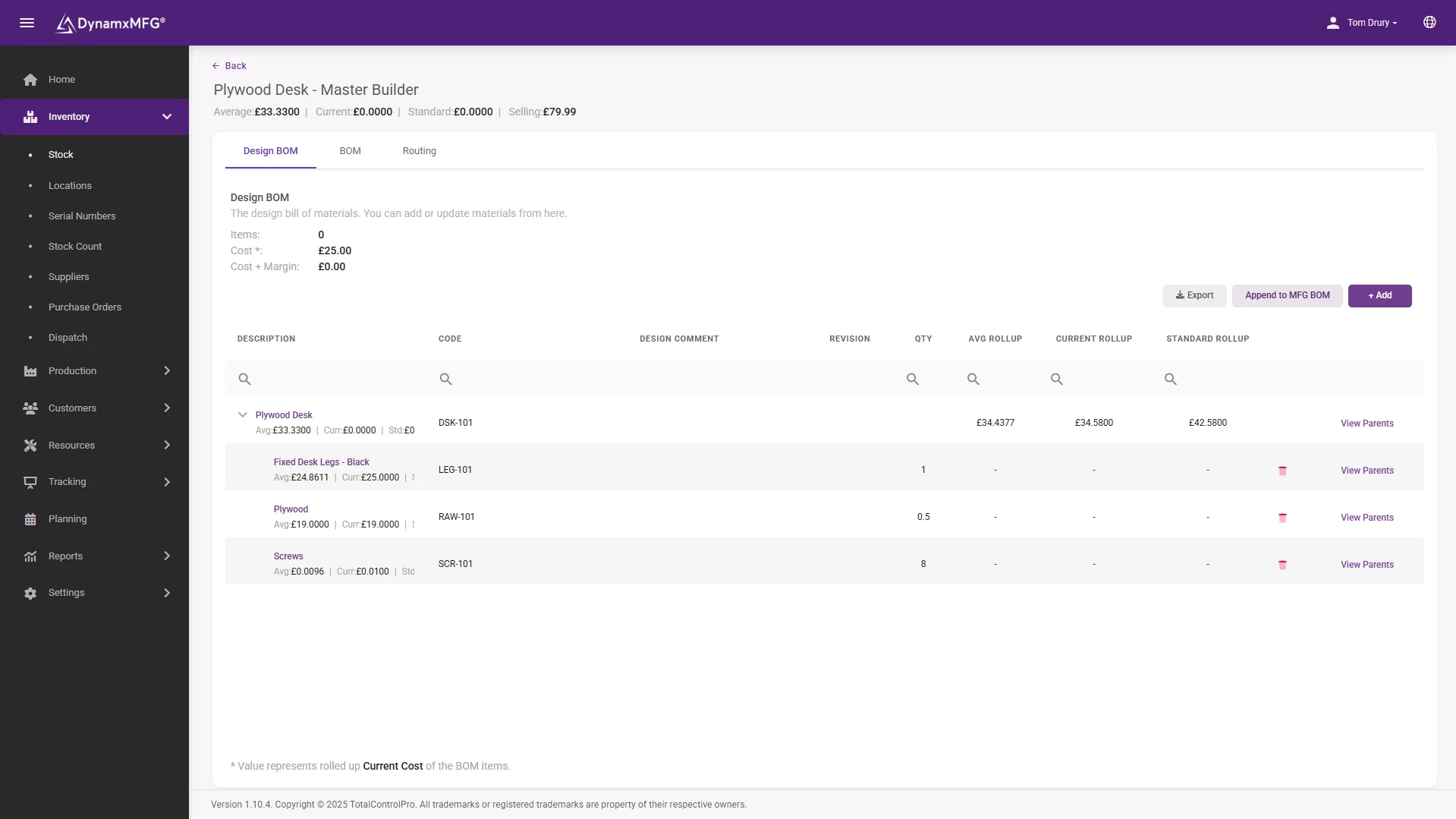
Operators clock on and off each operation, so estimated versus actual cost builds in real time. If a job is running over, you see it before it ships, not when the invoice lands.
Because the cost is built from what actually happened on the floor rather than an estimate reconstructed afterwards, the numbers you quote from are the numbers you achieved last time.
- Estimated vs actual on every operation
- Labour and material cost captured as work happens
- Quote the next job from real figures
The numbers
What manufacturers get from DynamxMFG
built-in reports, from live production data
from kick-off to running on the floor
more production capacity at GMC
on-time delivery at CPL
Rated 4.1/5 on Capterra, GetApp and Software Advice. Our ratings come from public review platforms, not testimonials we picked ourselves.
Getting started
Live in 90 days, not 18 months
We handle the implementation. Your team stays focused on production. Here is what your first 90 days look like.
Establish visibility and a trusted baseline
The first month replaces spreadsheet chaos and guesswork with a single source of live production data.
Regain control and remove obvious waste
With live data in place, your team shifts from reactive firefighting to data-driven action.
Prove the ROI and prepare to scale
The final phase turns your operational improvements into financial evidence.
Customers
What manufacturers say about DynamxMFG
“DynamxMFG is an excellent choice for manufacturers looking to digitise operations without being overwhelmed by complexity.”
“As GMC has grown, it had become harder for me to have such a keen view on components to see if those parts were profitable or not. DynamxMFG enabled us to monitor the machine time and see whether we are making a profit or a loss on each component.”
“The ability to dynamically modify BOMs after release, adding or removing items from work orders, scrapping and reworking parts, has been the single biggest improvement for our business.”
“We chose the system over competitors because of its ease of use, strong customer support and friendly delivery team. So far, everything has matched what was promised.”
“With DynamxMFG, all our production processes are tracked and the relevant data is captured. This increases our control over the business and helps us identify more opportunities to enhance efficiency and quality.”
“Our experience has been positive, and it was definitely worth switching. The support we have received has been extremely helpful. My favourite feature is the integration and automation capabilities.”
On the shop floor
Machine Time, Cost Per Component and the Details That Decide Margin
A precision shop makes or loses money in minutes. A setup that ran long, a first-off that waited an hour for inspection, a batch that sat at the platers for a week. DynamxMFG records those minutes against the job, so you can see them while there is still time to act.
Machine Time You Can Trust
Operators clock on and off each setup and each run at the machine, from a tablet or scan station. Machine time is the time that was recorded, not a figure pieced together from memory at the end of the week. Setup and run are held separately, so a long changeover on a short batch shows up as exactly that. The office sees every job move through real-time production tracking instead of walking the floor to ask.
Cost Per Component, Not Per Month
Labour and material build up against the works order as the job runs. Set that against the good parts produced and you have a real cost per component to compare with the price you quoted. Repeat orders can then be quoted from what the last batch actually cost. See how job costing in DynamxMFG builds estimated against actual by operation.
First-Off Inspection as Its Own Step
First-off inspection can sit in the route as a separate operation with an inspection and sign-off step. The record shows who checked the first part and when, and the production run is tracked after it. Time spent waiting for an inspector stops hiding inside the run time and becomes something you can measure and reduce.
Subcontract Operations That Stay in View
Anodising, plating, heat treatment and other outside processes can be set up as steps on the route. A job away at a subcontractor shows where it is, rather than disappearing from the schedule, and the next operation picks it up when it comes back. The cost of the outside work stays with the job, so the margin on the component is complete.
Drawings and Programs Where the Work Happens
Drawings and supporting files can be attached to the part and the order in DynamxMFG. That gives the setter and the office one place to find the current revision, instead of a shared drive in the office and a printed copy in the job bag that may be two issues old.
Material Traceability When Customers Ask
Where a customer wants to know which material batch went into a part, batch numbers captured at goods-in are carried through to the job. Batch tracking and serial number tracking are part of the same system, so the trace is a search rather than a hunt through delivery notes.
Case study
Gloucestershire Machining Centre
GMC is a precision CNC machining business in Gloucestershire. As it grew, it lost sight of which components were making money, and capacity was running short despite strong demand. TotalControlPro had DynamxMFG running in under 90 days. GMC now sees the true cost of every job and every part, and increased capacity by 40% and production output by 22% with the same team and machines.
Read the full story: GMC case study
Questions
What CNC shops ask us
Does it work with high-mix, low-volume?
That is exactly what it is built for. Hundreds of live jobs, each with its own routing and BOM, tracked from release to dispatch. Per-order snapshots let you vary a build for one customer without touching the master record.
Will it work with our older CNC machines?
Yes. DynamxMFG does not need a machine connection to work. Operators track jobs through the Smart Worker Interface on a tablet or scan station, so the age of your machines makes no difference to what you can see.
How accurate is the job costing?
It is built from what actually happened, not from estimates. Operators clock on and off each operation, so labour is real recorded time and material is what the BOM consumed. Cost accumulates while the job is still running.
Can we see which machines are busy?
Yes. Machine assignments and the Planner show which work centres and machines are loaded and which are idle, so you can rebalance work before a day’s capacity is lost.
Do we have to replace our accounts system?
No. DynamxMFG works alongside Sage, Xero and QuickBooks. Job costs and completed orders flow through automatically, so your finance team keeps the tools they already use.
How long until we are live?
Ninety days. We configure routings, BOMs and work centres around how your shop already runs, migrate your parts and open orders, and train operators on the floor as part of onboarding.
Can we see the machine time each component took?
Yes. Setup and run time are clocked separately against each operation, so you can see the machine time a component actually took and compare it with what you quoted.
How is first-off inspection recorded?
First-off can be set up as its own operation on the route, with an inspection and sign-off step. The record shows who signed the part off and when, and the production run is tracked as a separate operation after it.
Can we track parts that go out to a subcontractor?
Yes. Outside processes such as plating or heat treatment can be set up as steps on the route, so you can see which jobs are away and the cost of the outside work stays with the job.
Where do drawings and programs live?
Drawings and supporting files can be attached to the part and the order, so there is one place to find the current revision rather than a shared drive and paper copies in the job bag.
Does DynamxMFG work without a network connection?
No. DynamxMFG is cloud-based and needs a wifi connection wherever operators record work, so it is worth checking coverage across the shop floor before go-live.
Related
Go deeper
Where to read next on job tracking, costing and capacity for precision engineering and CNC work.
See DynamxMFG running your production
Book a 15 minute walkthrough on your products, your order types and your factory layout.
Book a Demo

