
Industry · Plastics and Rubber
Every tool, every cavity,
every shot accounted for.
DynamxMFG tracks moulding and extrusion jobs by tool, cavity and cycle, with material batch and regrind traceability, live machine status, and scrap recorded at the press as it happens.
Sound familiar?
Where the moulding shop loses its hours
What limits output on a moulding shop is rarely the press itself. It is the changeover, the scrap nobody counted, and the material record written up long after the run finished.
Tool changes eat the schedule
Changeovers are planned on a whiteboard and recorded after the fact. Nobody can say what a week of tool changes actually costs you in lost running time.
Scrap is counted too late
Short shots, flash and start-up scrap get totalled at the end of a run, if at all. By then the material is gone and the job has already lost its margin.
Batch and regrind traceability is manual
Lot numbers live on paper labels and in the setter's memory. When a customer questions a part, tracing the virgin batch and the regrind that went with it takes days.
Side by side
Spreadsheets and generic tools vs DynamxMFG
A spreadsheet cannot count shots, hold a lot number at the press, or tell you what a week of tool changes actually cost.
| DynamxMFG | Spreadsheets and generic tools | |
|---|---|---|
| Tool and mould changeover | Scheduled and clocked as a real operation | Whiteboard plan, written up afterwards |
| Cavity and cycle counts | Shots and parts counted at the press | Estimated from run time at shift end |
| Material batch and regrind | Virgin, masterbatch and regrind lots booked to the job | Paper labels and the setter's memory |
| Scrap and short shots | Booked at the operation with your own reasons | Totalled at the end of the run |
| Machine utilisation | Run, changeover and downtime reported per press | Guessed from output and gut feel |
What you get
Everything a moulding shop needs. Nothing it does not.
DynamxMFG is built around the way moulders and rubber processors actually work, from tool set and first off, through the run, to despatch.
Works Orders by Tool and Cavity
Every run is released as a works order against a named tool, with cavity count, cycle time and target quantity on the job. Set up, first off and the run itself are separate operations, so the time each one takes is recorded rather than assumed.
Replaces: Paper travellers, whiteboard run plans, spreadsheet job lists
Data Capture at the Press
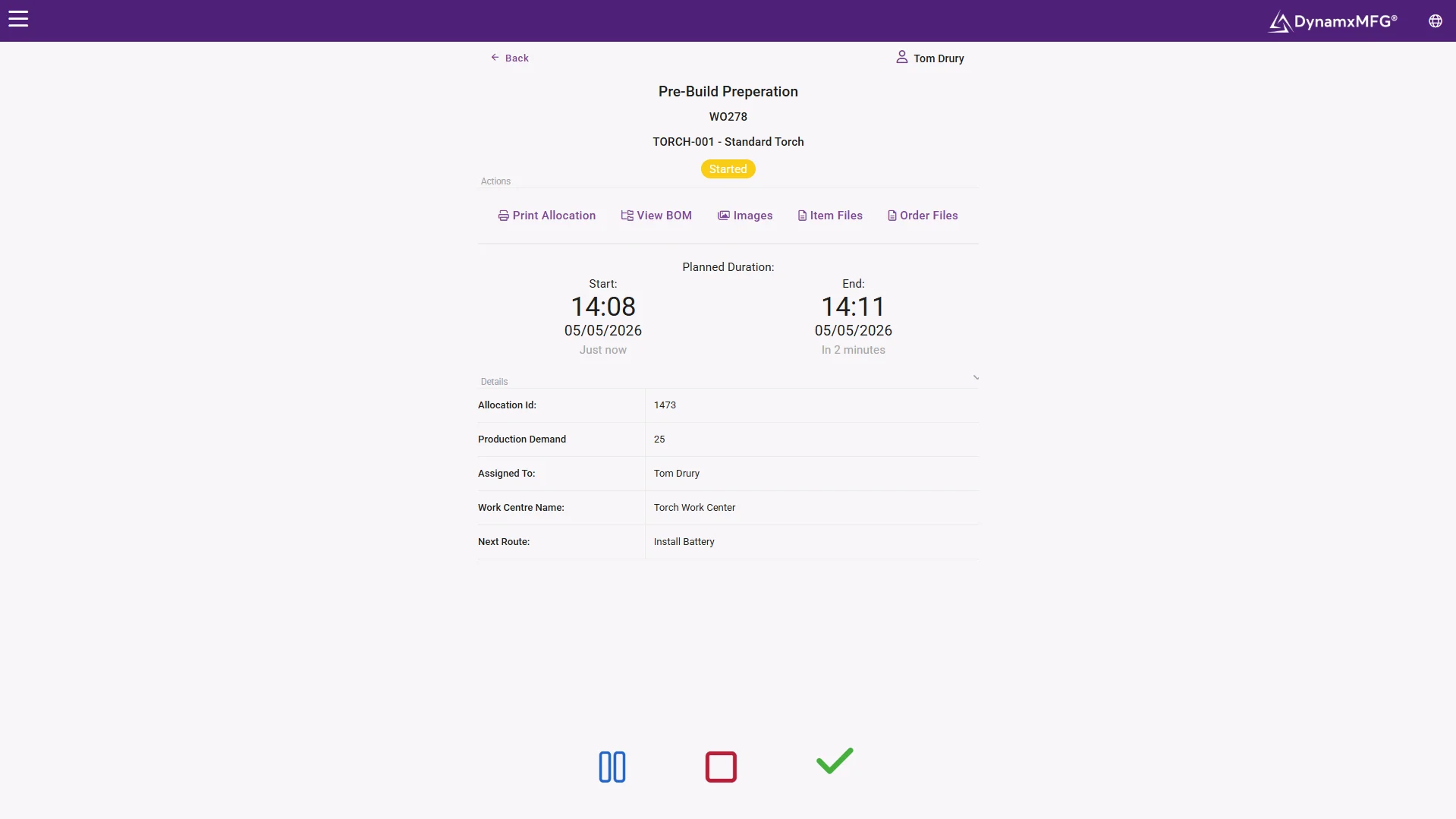
Operators clock on at a touch screen and confirm shot and part counts as the run goes. Scrap is booked live against reasons you configure, short shot, flash, contamination or colour, and downtime is logged with a cause. The job cost moves during the run, not after it.
Replaces: Tally sheets, scrap bins counted later, shift handover notes
Material Batch and Regrind Control
Virgin polymer, masterbatch, additives and regrind are booked to the job at the point of issue, each with its lot number. Stock moves as the material moves, so every part carries the batches that went into it and a customer query takes minutes rather than days.
Replaces: Paper batch labels, stock spreadsheets, month end reconciliations
Press Scheduling and Tool Changeovers
Jobs are scheduled against presses and the tools they need, so a run is never released to a machine whose tool is already committed. Changeovers sit in the plan as work with a duration, and planners can group jobs by tool to cut the number of changes in a week.
Replaces: Whiteboard press plans, changeover spreadsheets, manual capacity checks
Tooling
Tool history you can actually plan around
Every job runs against a tool, so DynamxMFG builds a history for each one. You can see shots since the last service, cycle times drifting out, cavities blocked off, and the runs where a tool started producing scrap.
That turns maintenance into something you schedule rather than react to. Presses and tools are planned together, so a run is never released to a machine whose tool is already due to come out for repair.
- Shot and cavity counts recorded at the press
- Tool history, downtime and changeover time in one place
- Material lot and regrind traceable on every part
The numbers
What manufacturers get from DynamxMFG
built-in reports, from live production data
from kick-off to running on the floor
more production capacity at GMC
on-time delivery at CPL
Rated 4.1/5 on Capterra, GetApp and Software Advice. Our ratings come from public review platforms, not testimonials we picked ourselves.
Getting started
Live in 90 days, not 18 months
We handle the implementation. Your team stays focused on production. Here is what your first 90 days look like.
Establish visibility and a trusted baseline
The first month replaces spreadsheet chaos and guesswork with a single source of live production data.
Regain control and remove obvious waste
With live data in place, your team shifts from reactive firefighting to data-driven action.
Prove the ROI and prepare to scale
The final phase turns your operational improvements into financial evidence.
Customers
What manufacturers say about DynamxMFG
“DynamxMFG is an excellent choice for manufacturers looking to digitise operations without being overwhelmed by complexity.”
“As GMC has grown, it had become harder for me to have such a keen view on components to see if those parts were profitable or not. DynamxMFG enabled us to monitor the machine time and see whether we are making a profit or a loss on each component.”
“The ability to dynamically modify BOMs after release, adding or removing items from work orders, scrapping and reworking parts, has been the single biggest improvement for our business.”
“We chose the system over competitors because of its ease of use, strong customer support and friendly delivery team. So far, everything has matched what was promised.”
“With DynamxMFG, all our production processes are tracked and the relevant data is captured. This increases our control over the business and helps us identify more opportunities to enhance efficiency and quality.”
“Our experience has been positive, and it was definitely worth switching. The support we have received has been extremely helpful. My favourite feature is the integration and automation capabilities.”
Questions
What plastics and rubber manufacturers ask us
Can it count shots and parts from the press?
Yes. Jobs are tracked by shot and by cavity, so the completed quantity reflects what the machine actually produced. Operators confirm counts at the press on a touch screen, and cycle times, downtime and scrap are recorded against the same job. You get real output rather than a figure written up at the end of the shift.
How does it handle tool and mould changeovers?
A changeover is scheduled and clocked as an operation in its own right. The time is booked against the tool and the machine, so you can see how long each change really takes and which combinations cost you most. Planning can then group jobs by tool to cut the number of changes in a week.
Can we trace material batches and regrind?
Yes. Virgin material, masterbatch, additives and regrind are all booked to the job as stock, with lot numbers captured at the point of issue. Every part carries the lots that went into it. If a customer raises a concern, you can search a batch and see which jobs, machines and operators it touched.
How is scrap and short shot data captured?
Scrap is booked at the operation, using reasons you configure yourself: short shot, flash, contamination, colour, start-up. Because it is recorded as it happens, the job cost updates during the run rather than after it. Reports then show scrap by tool, machine, material and shift, so the pattern becomes obvious.
Will it show utilisation across the whole moulding shop?
Yes. Every press reports run time, changeover time and downtime against the jobs it ran. Dashboards show which machines are loaded, which are idle, and where the shop is losing hours. Over 40 built-in reports cover output, scrap, labour and material, so nobody has to build a spreadsheet.
Related
Go deeper
Where to read next on batch tracking, traceability and OEE for plastics and rubber processing.
See DynamxMFG running your moulding shop
Book a 15 minute walkthrough on your tools, your materials and your press list.
Book a Demo

