
Scheduling
Production scheduling software
Decide the order jobs run in, on which machine, with which people, against the capacity you actually have. Then change it in minutes when Tuesday does what Tuesday does.
Definition
What is production scheduling software?
Production scheduling software works out the sequence. Given a set of jobs that need making, it decides which work centre runs what, in what order, and when each operation should start and finish.
It is the layer below planning. Planning says you need 400 units by the end of the month. Scheduling says the mill runs job 4471 first because it shares a setup with 4470, and the assembly cell cannot start until Thursday because that is when the castings land.
A schedule that assumes infinite capacity is not a schedule, it is a wish list. If your system will happily load 200 hours onto a machine that has 40 available, it is not scheduling, it is arithmetic.
See it live
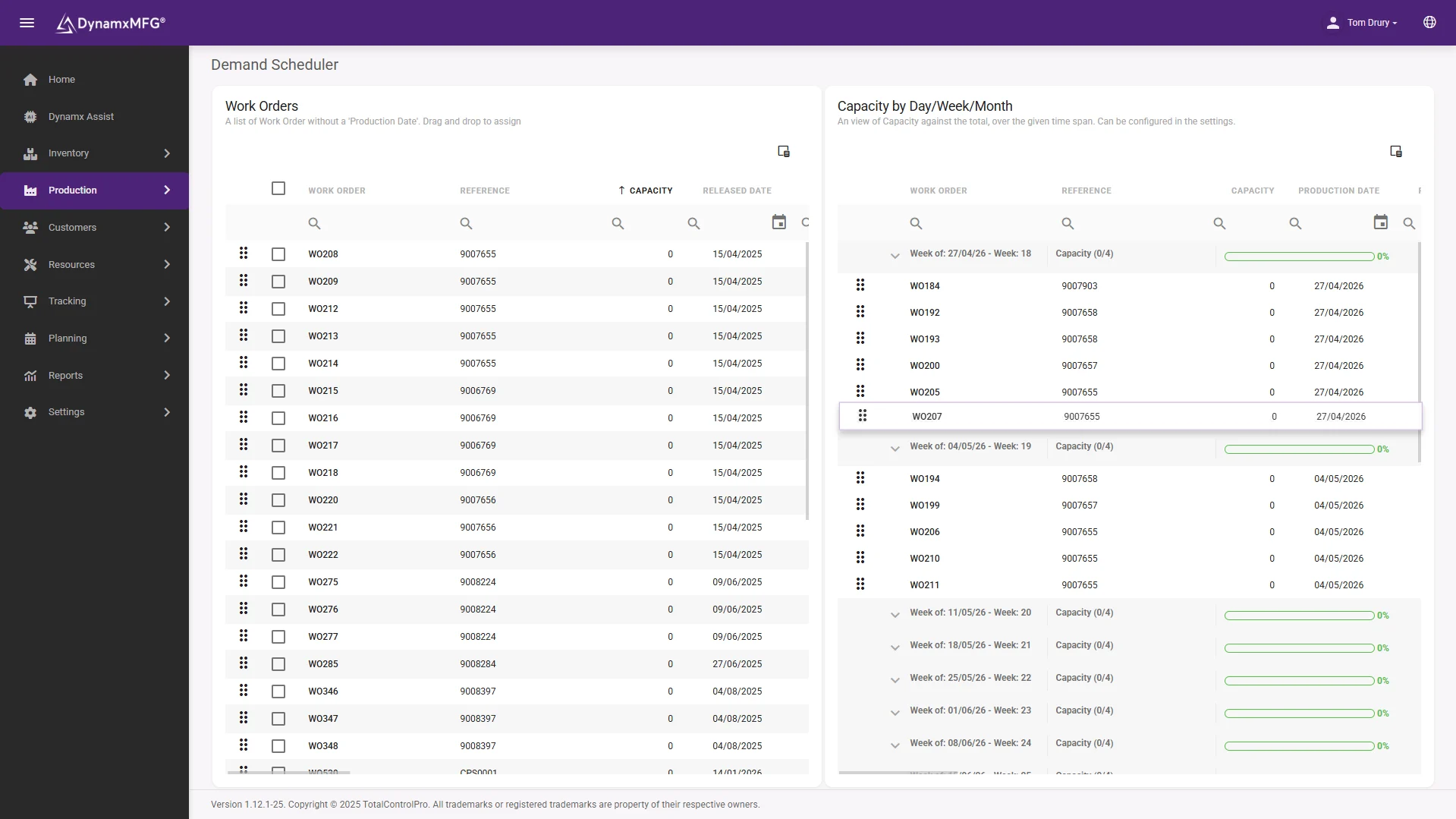
The schedule, on a screen, against real capacity
Drag jobs, see collisions, and know before you commit whether the week actually fits. The scheduler loads work against the hours each resource genuinely has.
When a machine goes down or a rush order lands, re-planning is minutes, and the knock-on effects are visible before you promise anything.
- Finite capacity by machine and cell
- Drag-and-drop re-sequencing
- Late-risk jobs highlighted as the plan moves
How it works
How production scheduling works
Every scheduling system is doing the same four things, whether it is a spreadsheet or an algorithm.
Take the demand
Confirmed orders and forecast requirements arrive as jobs, each with a routing that says which operations are needed and in what order.
Check the constraints
Machine availability, shift patterns, tooling, skilled operators and material arrival dates. Each one can stop a job regardless of how urgent it is.
Sequence the work
Jobs are ordered to hit due dates while minimising setup and changeover time. Batching similar work saves hours that no amount of pushing recovers.
Re-plan when it moves
A machine goes down, a rush order lands, material is late. The value of a scheduling system is measured in how fast it can produce a new honest plan.
Capabilities
What a scheduling system gives you
Finite capacity
Loads work against hours you genuinely have, not theoretical machine time.
Visual sequencing
A drag-and-drop timeline showing what runs where and what it collides with.
Setup and changeover logic
Group similar jobs so you stop paying the changeover twice.
What-if re-planning
Test moving a job before committing to it and see what it breaks downstream.
Material-aware dates
Do not schedule a job to start before its material can physically arrive.
Live progress feedback
A schedule that knows what has actually finished, not just what was supposed to.
Plan the demand
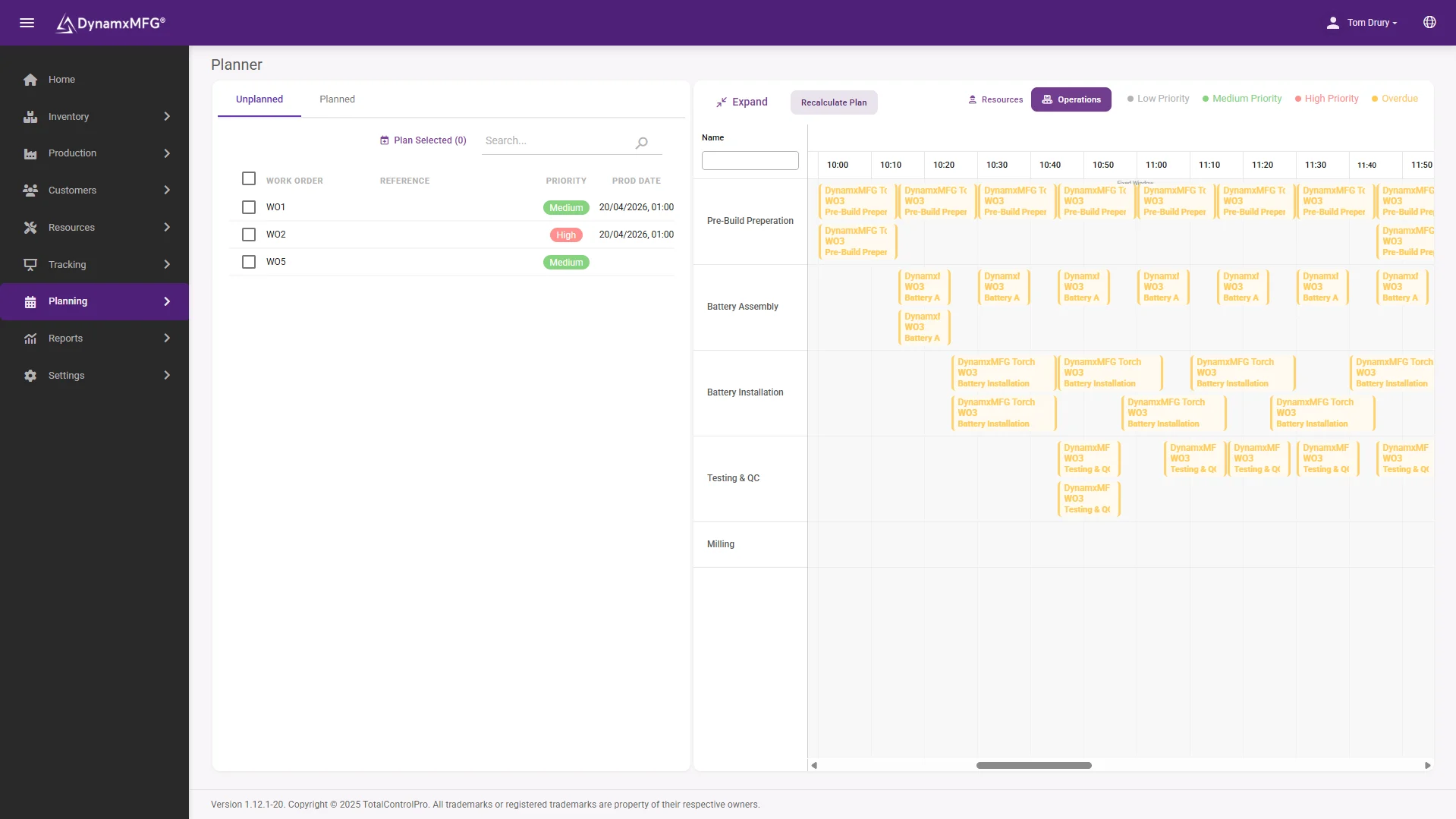
From order book to buildable plan
Demand, stock and capacity in one planning view, so what you release to the floor is a plan the floor can actually run.
Planned works orders flow straight to the scheduler and out to the terminals, so the plan and the factory stop drifting apart.
- Demand netted against live stock
- Works orders raised from the plan
- Schedule fed by real job progress
Benefits
What better sequencing is worth
Scheduling rarely adds capacity. It stops you wasting the capacity you already paid for.
Setup time comes back
Sequencing by tooling, material or colour recovers hours a week in a typical machine shop. Nothing on the shop floor changes except the order of the work.
Promise dates you can keep
A date that came out of a finite capacity schedule can be defended to a customer. A date that came out of optimism cannot.
The bottleneck stops idling
The constraint sets your output. Keeping it fed matters more than keeping everything else busy, and a schedule is how you do that deliberately.
Recovery gets faster
When a machine goes down, the question is what now. A system answers in minutes what a planner needs half a day to work out on paper.
Finite vs infinite
Finite capacity scheduling or infinite?
This is the single most important thing to check when comparing scheduling tools, and the thing vendors are vaguest about.
| Finite capacity | Infinite capacity | |
|---|---|---|
| Assumes | Each resource has limited available hours | Unlimited capacity at every operation |
| Output | A sequence that can physically be run | A list of dates that may be impossible |
| Overload | Flagged and resolved before release | Invisible until the floor cannot cope |
| Typical of | Dedicated scheduling and MES systems | Basic MRP and many accounting bolt-ons |
| Effort to maintain | Needs accurate routings and capacity data | Almost none, which is why it stays wrong |
| Use it when | Machine or labour capacity is your constraint | Material availability is your only real constraint |
Right for you?
When scheduling software pays for itself
Scheduling matters most where the mix is wide and the constraints are real.
- You run high-mix, low-volume work with a different route for almost every job.
- Changeover and setup time is a meaningful share of your machine hours.
- A single machine or cell is clearly the constraint on everything you ship.
- Your schedule lives in a spreadsheet that one person maintains and nobody else fully understands.
- Rush orders regularly blow up the week and nobody can see the knock-on effects.
- You quote lead times based on how it felt last time rather than on capacity.
DynamxMFG
A schedule that knows what the floor is doing
Most scheduling tools produce a beautiful plan on Monday morning and have no idea what happened to it by Monday afternoon. The schedule and the shop floor drift apart, and within a fortnight people stop trusting the plan.
DynamxMFG schedules against live job progress. As operators book operations, the schedule knows what has genuinely finished and what has not, so re-planning starts from where the factory actually is rather than where it was supposed to be.
Plans against real capacity
Built from booked times on real jobs, not standards nobody has reviewed. See planning and scheduling.
Fed by the shop floor
Progress arrives from terminals as work is booked. See shop floor data capture.
Visible to everyone
The sequence appears on the terminal at each work centre, so the plan reaches the people running it.
Integrations
Connects to what you already run
Scheduling gets better when it can see everything. DynamxMFG connects your order book, stock and accounts, so the schedule works from the same numbers as the rest of the business.
See all 33 integrations →













Customers
What manufacturers say about DynamxMFG
“DynamxMFG is an excellent choice for manufacturers looking to digitise operations without being overwhelmed by complexity.”
“As GMC has grown, it had become harder for me to have such a keen view on components to see if those parts were profitable or not. DynamxMFG enabled us to monitor the machine time and see whether we are making a profit or a loss on each component.”
“The ability to dynamically modify BOMs after release, adding or removing items from work orders, scrapping and reworking parts, has been the single biggest improvement for our business.”
“We chose the system over competitors because of its ease of use, strong customer support and friendly delivery team. So far, everything has matched what was promised.”
“With DynamxMFG, all our production processes are tracked and the relevant data is captured. This increases our control over the business and helps us identify more opportunities to enhance efficiency and quality.”
“Our experience has been positive, and it was definitely worth switching. The support we have received has been extremely helpful. My favourite feature is the integration and automation capabilities.”
Questions
Production scheduling questions, answered
What is the difference between planning and scheduling?
Planning decides what to make and roughly when, usually over weeks or months. Scheduling decides the exact sequence and timing on specific resources, usually over days. See production planning software.
Can I not just schedule in Excel?
You can, and thousands of factories do. It works until the mix widens or the person who built it leaves. Excel cannot check capacity, cannot react to live progress, and cannot be seen by the floor.
What is finite capacity scheduling?
Scheduling that respects the hours each machine and person genuinely has available. Infinite capacity scheduling ignores that and will cheerfully load a week of work into a day.
How accurate do my routings need to be?
Accurate enough to be useful, not perfect. Start with your best estimate and let booked times correct it. A system that compares planned against actual will improve your routings for you.
Does scheduling software handle rush orders?
That is most of the value. The question is not whether you can insert the rush job, it is whether you can immediately see what it delays and tell those customers before they ring you.
Do we need a separate APS system?
Usually not at SME scale. Dedicated advanced planning and scheduling makes sense when the constraint modelling gets genuinely complex. Most UK SMEs get what they need from scheduling inside their MES.
Related reading
Read next
Background reading on production scheduling software from the DynamxMFG glossary and blog.
See your worst week scheduled properly
Book a 30 minute call and bring a week that went wrong. We will show you what a finite capacity schedule would have done with it.


