
Quality
Quality management software for manufacturers
Capture inspection results, non-conformances and corrective actions against the job that produced them, so quality data is evidence rather than a folder nobody opens.
Definition
What is quality management software?
Quality management software records and controls the activities that keep product within specification: inspection checks, non-conformance reports, corrective actions, concessions and the documented evidence that all of it happened.
In manufacturing the important design decision is where quality data is captured. Quality recorded on a separate system, disconnected from production, tells you that a defect occurred. Quality recorded against the works order tells you which material, machine, operator and shift it occurred on, which is the information you need to stop it happening again.
Most factories are not short of quality records. They are short of quality records that are connected to anything. A drawer of completed inspection sheets proves the checks were done and tells you nothing about why the scrap rate went up in March.
See it live
Checks at the operation, not on a clipboard
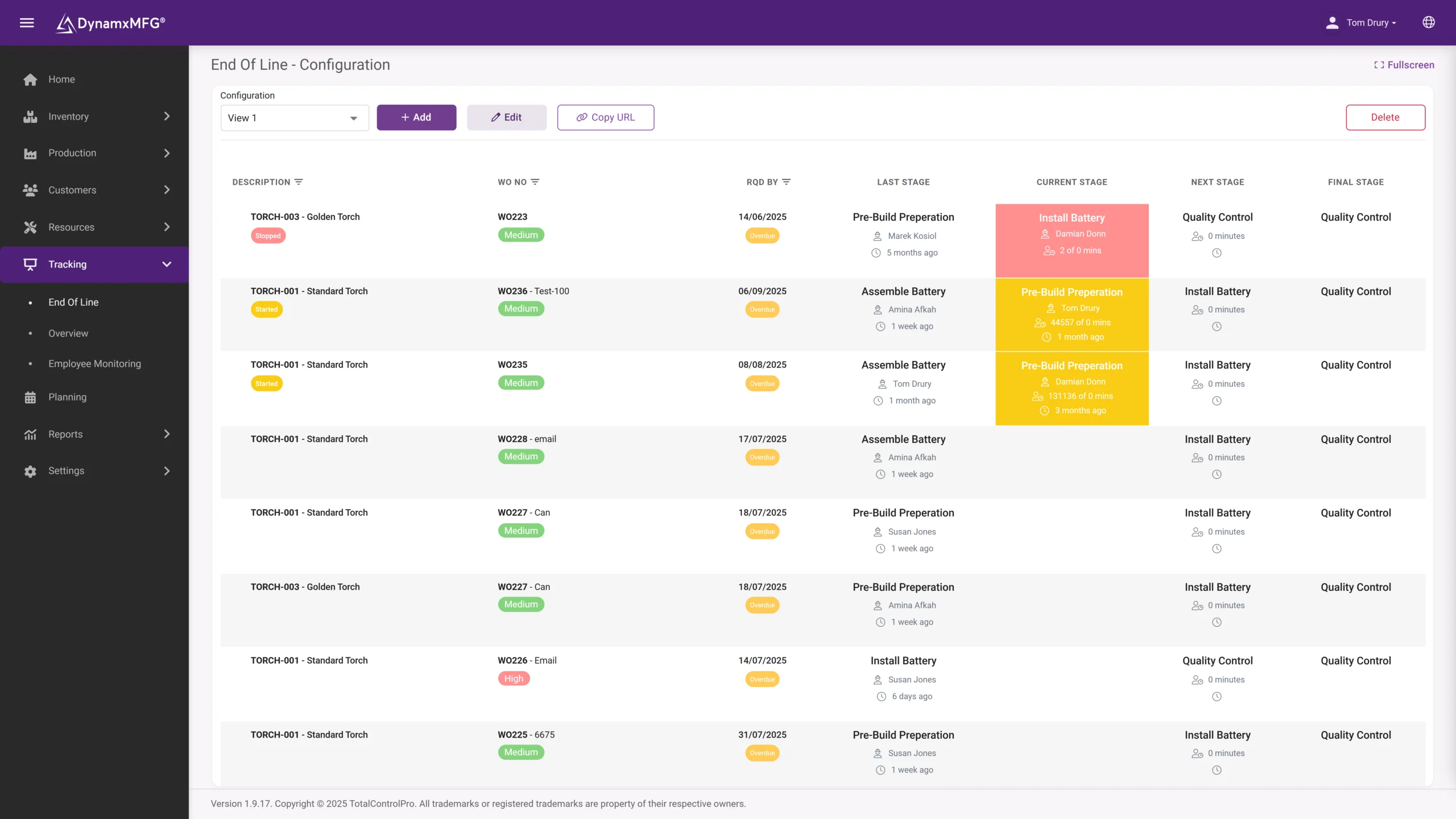
Inspection steps sit in the routing and are completed at the end-of-line screen, with pass, fail and measurements recorded against the job. A check that cannot be skipped is a check that always has evidence.
Non-conformances are raised at the bench with the material, machine and operator already attached.
- Inspection steps built into the routing
- Results stamped with operator and time
- NCRs raised at the point of discovery
How it works
How quality management works in production
The loop is check, record, act, verify. Paper systems usually manage the first two.
Checks built into the routing
Inspection steps sit in the operation sequence like any other operation, so they cannot be skipped or forgotten under time pressure.
Results captured at the point
Measurements and pass or fail outcomes recorded at the operation against the job, with the operator and time stamped automatically.
Non-conformances raised in place
When something fails, the report is raised against the job with the material, machine and operator already attached rather than recalled later.
Actions tracked to closure
Corrective actions assigned, chased and closed, with the evidence retained for the next audit.
Capabilities
What quality management covers
Inspection recording
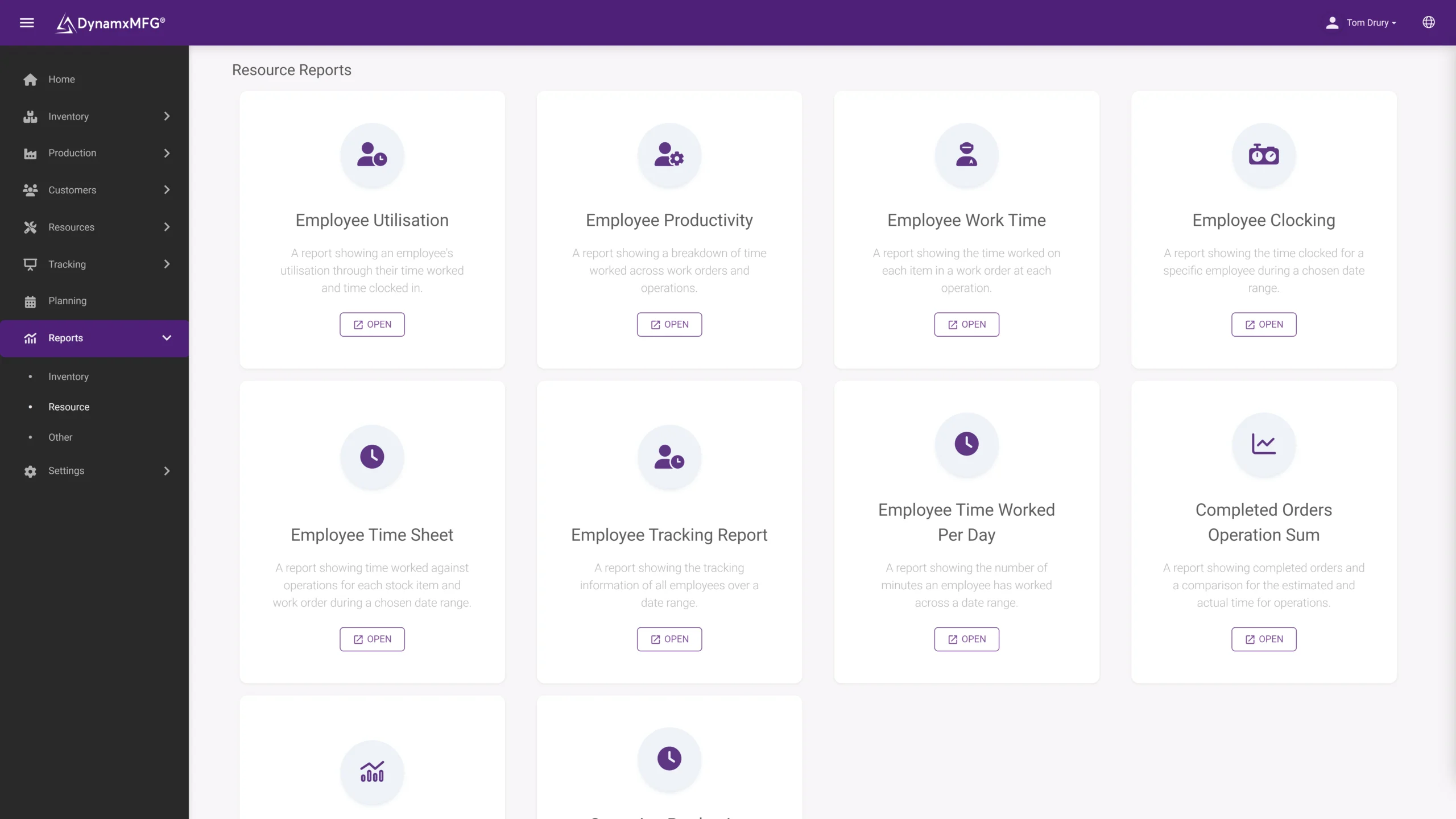
Check results captured against the operation, not on a separate sheet.
Non-conformance reports
Raised at the point of discovery with full job context attached.
Disposition
Use, rework, scrap, concession or return, recorded with who decided.
Corrective actions
Assigned, tracked and closed with evidence rather than remembered.
Scrap and rework cost
Valued against the job so the cost of quality stops hiding in overhead.
Audit evidence
Retrievable history rather than an archive-room exercise.
The patterns
Quality data you can actually analyse
Because every defect carries its context, the clustering is visible: by material lot, by machine, by shift. That is how persistent problems finally get solved.
Scrap and rework are costed to the job, so the cost of quality stops hiding in overhead.
- Defects clustered by lot, machine and shift
- Scrap valued against the job
- Audit evidence retrievable in minutes
Benefits
What connected quality data changes
The benefit is not in recording more. It is in being able to see patterns that paper records physically cannot show you.
Root causes become findable
When defects carry material lot, machine, operator and shift, patterns emerge. Clustering by one of those four is how most persistent quality problems are eventually solved.
Cost of quality becomes visible
Scrap and rework attributed to jobs rather than absorbed into overhead usually turns out to be a much larger number than anyone expected.
Audits stop being disruptive
Evidence retrieved from a system in minutes replaces the fortnight somebody normally loses to preparing for a customer or certification audit.
Escapes get contained faster
Linking a defect to its material batch immediately tells you what else is affected and whether any of it has already shipped.
QA vs QC
Quality assurance or quality control?
Used loosely and often interchangeably, but the distinction shapes what software you actually need.
| Quality assurance | Quality control | |
|---|---|---|
| Aim | Stop defects happening | Catch defects that happened |
| Focus | The process | The product |
| Activity | Procedures, training, process control | Inspection, testing, measurement |
| Timing | Before and during production | During and after production |
| Evidence needed | Documented process and adherence | Inspection records and results |
| Software need | Document and action control | Capture at the operation |
Right for you?
When you need this
Usually driven by a customer requirement rather than an internal decision, which is a shame because the internal returns are the larger ones.
- You hold or are pursuing ISO 9001, AS9100 or ISO 13485.
- Inspection results are recorded on paper and filed without being analysed.
- Non-conformances are raised inconsistently, or only when they are serious.
- You cannot say what scrap and rework cost you last quarter.
- Corrective actions are agreed in meetings and then tracked in somebody's notebook.
- Customer complaints require a manual investigation to work out what happened.
DynamxMFG
Quality recorded where the work happens
DynamxMFG puts quality capture on the same terminal the operator is already using to book the job. Inspection steps sit in the routing, results are recorded against the operation, and a non-conformance can be raised at the moment something is found.
Because it is attached to the works order, every quality record automatically carries its context: the material batch, the machine, the operator, the shift and the time. That context is what makes the data worth analysing later.
Checks in the routing
Inspection as an operation, captured at the terminal. See shop floor data capture.
Full job context
Material, machine and operator attached automatically. See traceability.
Cost of quality
Scrap and rework valued against the job. See job costing.
Integrations
Connects to what you already run
Quality evidence travels: to customers, auditors and your management system. DynamxMFG exports it cleanly and connects to the office tools that carry it.
See all 33 integrations →










Customers
What manufacturers say about DynamxMFG
“DynamxMFG is an excellent choice for manufacturers looking to digitise operations without being overwhelmed by complexity.”
“As GMC has grown, it had become harder for me to have such a keen view on components to see if those parts were profitable or not. DynamxMFG enabled us to monitor the machine time and see whether we are making a profit or a loss on each component.”
“The ability to dynamically modify BOMs after release, adding or removing items from work orders, scrapping and reworking parts, has been the single biggest improvement for our business.”
“We chose the system over competitors because of its ease of use, strong customer support and friendly delivery team. So far, everything has matched what was promised.”
“With DynamxMFG, all our production processes are tracked and the relevant data is captured. This increases our control over the business and helps us identify more opportunities to enhance efficiency and quality.”
“Our experience has been positive, and it was definitely worth switching. The support we have received has been extremely helpful. My favourite feature is the integration and automation capabilities.”
Questions
Quality management questions, answered
Is this a full QMS?
DynamxMFG covers the production side of quality: inspection capture, non-conformances, disposition, scrap and the traceability evidence behind them. Document control and management-system procedures are usually handled alongside it, and it is worth being specific about which you need.
Do we need this to pass ISO 9001?
No, certification is achievable on paper. What software changes is how long preparing for the audit takes and whether the data is any use to you between audits.
What is a non-conformance report?
The formal record raised when something fails to meet specification, capturing what was wrong, what was done about it and why it happened. See our definition of NCRs.
Should operators be able to raise non-conformances?
Yes. The person who finds the problem should be able to record it in seconds. Systems that route everything through a quality manager get a fraction of the true picture.
How do we measure cost of quality?
Attribute scrap, rework hours and the material consumed by both to the job that caused them. Most factories discover the figure is several times what they assumed.
Can we use this for supplier quality?
Yes, provided goods in records the supplier batch. Defects traced to a specific delivery give you evidence for the supplier conversation.
Related reading
Read next
Background reading on quality management software from the DynamxMFG glossary and blog.
See quality captured on the job
Book a 30 minute call and we will run an inspection step and a non-conformance through a live works order.


