
Feature · Planning & Scheduling
Schedule jobs with confidence.
Not with guesswork.
DynamxMFG gives you live work order visibility, drag-and-drop capacity scheduling and machine assignment, all connected to the shop floor so plans actually get executed.
The problem
Planning on a whiteboard only works until things change
Most small manufacturers plan on whiteboards, spreadsheets, or in someone’s head. It works until a job is late, a machine goes down, or a priority order lands at 4pm on a Friday. Then everything unravels.
No live view of what is running
The planning board says a job is in progress. The shop floor tells a different story. Without a live connection, every plan is already out of date.
Over-committing without realising
Delivery dates get promised before anyone has checked whether the capacity exists to meet them. The problems only surface when it is too late to fix them.
Jobs held up waiting for materials
An operator picks up a job, gets to the bench, and the materials are not there. Nothing gets built, nobody flagged it, and the delay was avoidable.
Demand Scheduler
See what you have committed and what you still have room for
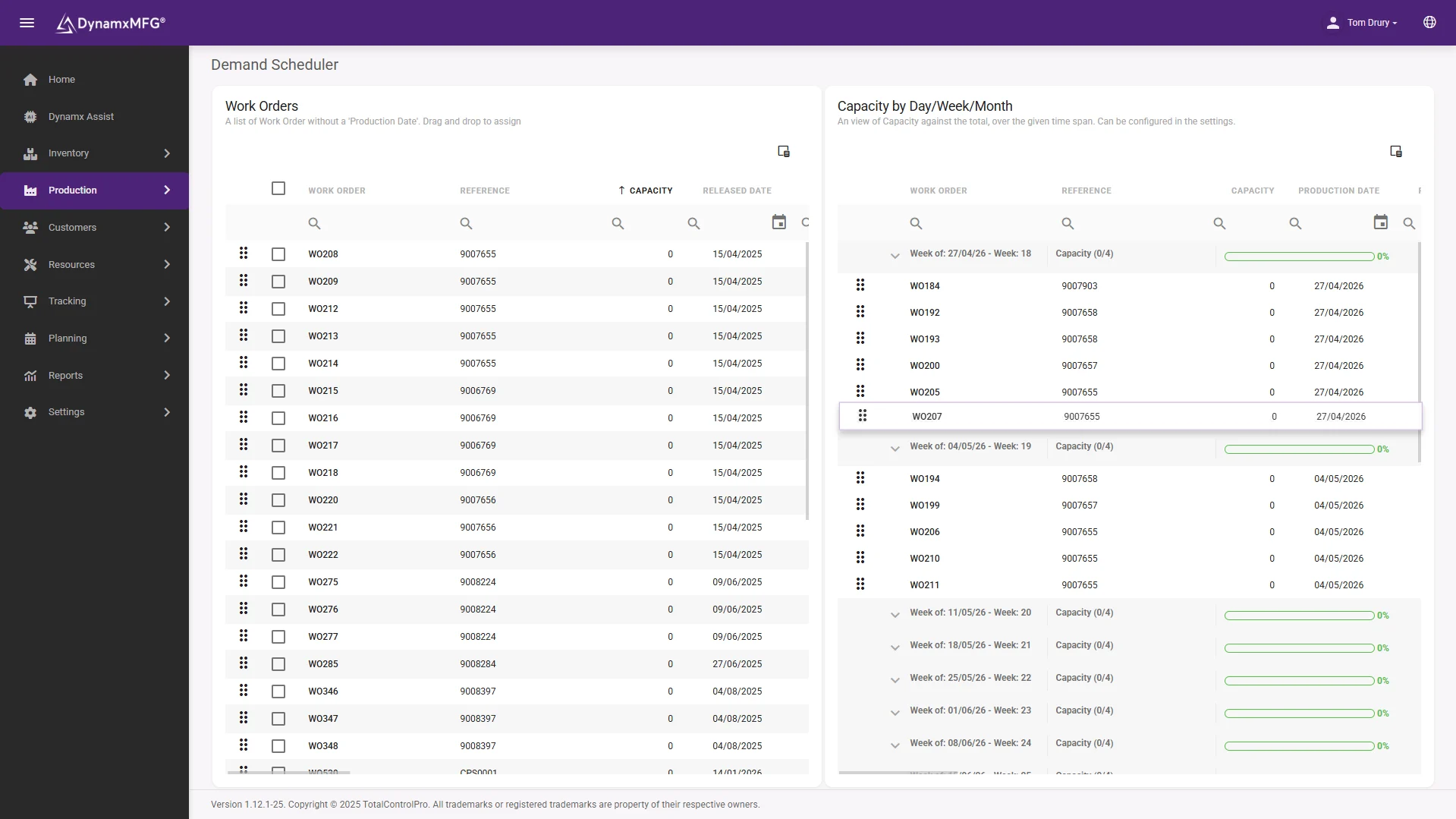
The Demand Scheduler maps every open work order against your production calendar. Drag unscheduled jobs into day, week or monthly buckets. A live capacity bar shows exactly how loaded each period is, and turns red before you overcommit.
The diary view overlays production demand against available capacity so you can check before you promise a delivery date. Filter by production date, received date or required-by date to find where the pressure is.
- Drag jobs into day, week or month buckets
- A live capacity bar that warns before you overcommit
- Filter by production, received or required-by date
The Planner
Know your capacity before you commit to dates
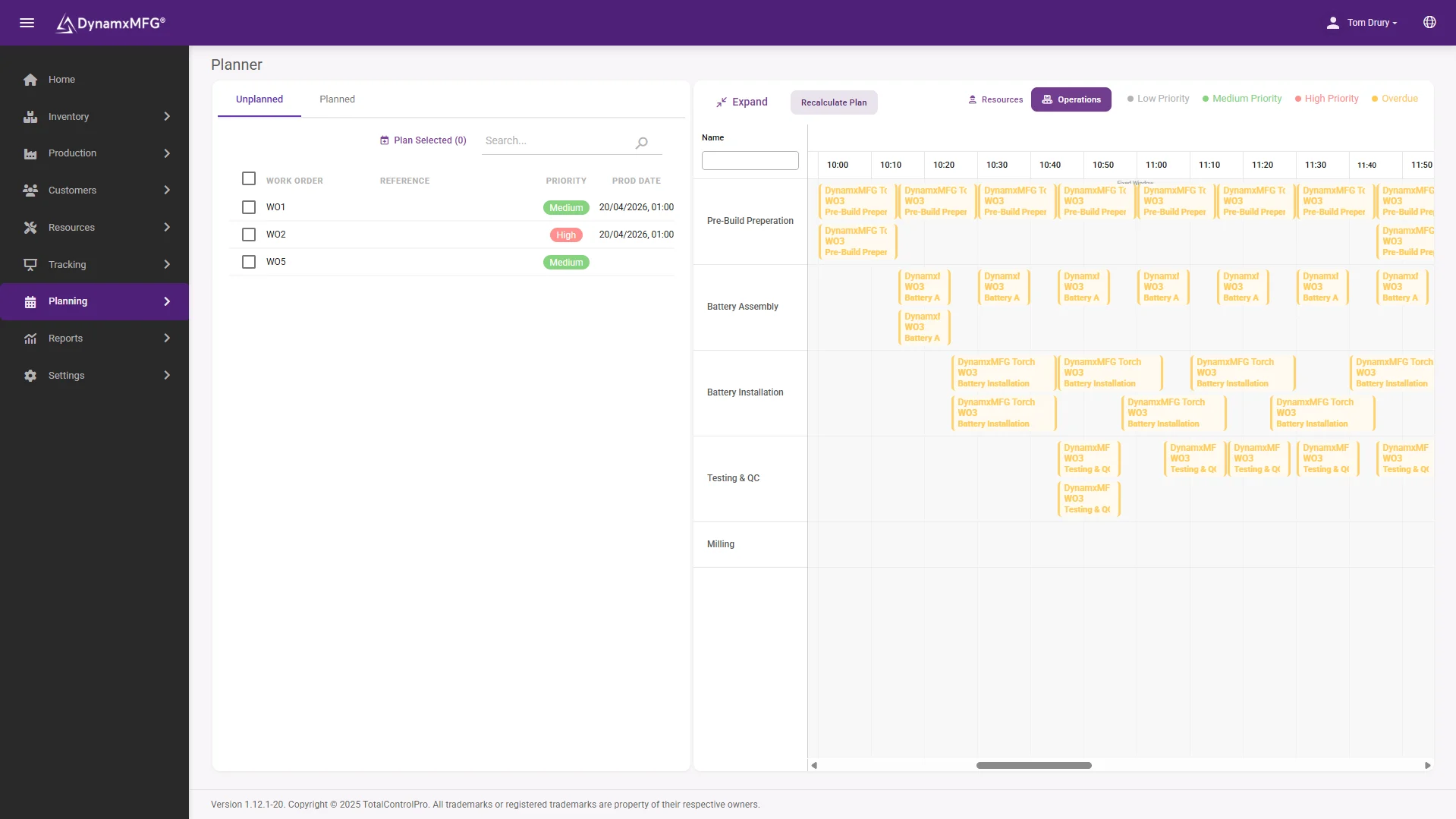
The Planner gives you every open work order on one timeline. Drag jobs into the days, weeks or months ahead and watch capacity fill in real time. When a work centre is overloaded the bar turns red, so you can rebalance the plan before the shop floor feels it.
Reschedule by dragging between time slots. Spot conflicts before they become missed deliveries, and quote new orders against capacity you can actually see. One plan replaces the spreadsheets, the whiteboard, and the version that only lives in the planner’s head.
- Every open work order on one timeline
- Overloaded work centres flagged in red
- Quote against capacity you can actually see
Kitting
Make sure materials are ready before production starts
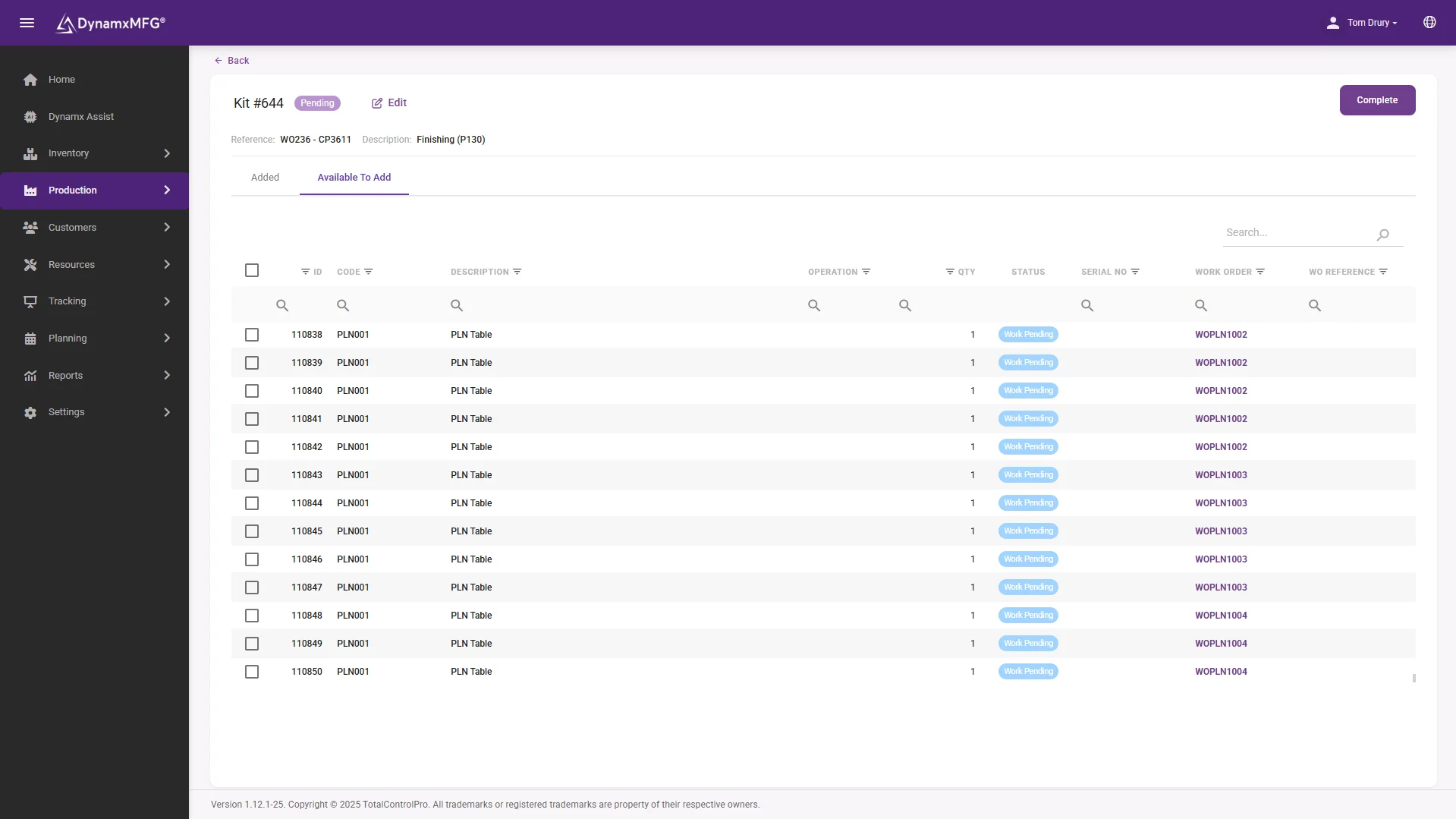
Kitting releases the component pick list to the goods and kitting team before the job hits the shop floor. Pickers use the Advanced Interface to pick, transit and confirm each item, so when an operator starts a job everything is already at the bench.
Materials are allocated to work orders automatically when a sales order is released. Where stock is short, purchase demand is raised immediately, closing the gap between order released and materials confirmed.
- Pick lists released before the job reaches the floor
- Materials allocated the moment an order is released
- Shortfalls raised as purchase demand immediately
The detail
The rest of what comes with production planning
Details that keep production moving when things do not go to plan.
Bundle splitting
Split a released bundle into smaller units mid-production. Each new bundle tracks independently, with full traceability back to the original work order.
Rework and remake
When something is stopped or failed, raise a rework with a custom or template routing and get the part back into production without creating a new order from scratch.
Traveller sheets
Print traveller sheets per work order or per item, so operators carry the build record through each operation where physical paperwork is required.
Auto-switch operations
Configure operations to hand off automatically to the next step, so operators follow the part through a cell without navigating back to a menu.
Work order priority
Flag a work order as high priority and it flows through to the shop floor display. Operators see what is urgent without needing to be told.
Work order custom fields
Add project codes, compliance references or any field your process needs. Visible on the work order and searchable across all open jobs.
Connected
Planning that connects to your wider business
Work orders in DynamxMFG connect directly to sales orders, inventory and your accounts system. When a job completes, the sales order updates and your accounts system is notified, with no manual handover.
Asana integration keeps project tasks aligned with production, and ClickUp integration means sprint planning stays connected to what is actually being built on the floor.
See all integrations →













Questions
Planning and scheduling FAQs
How does DynamxMFG know what capacity we have?
Capacity comes from your work centres, machines and shift patterns as configured during onboarding. The Planner and Demand Scheduler then map open work orders against that, so the load you see reflects your actual factory rather than a generic model.
Can we reschedule jobs quickly when priorities change?
Yes. Drag a job between day, week or month buckets and the plan updates immediately, including the capacity bars. There is no separate spreadsheet to re-key and the shop floor sees the change straight away.
Will it stop us over-committing on delivery dates?
It shows you before you commit. The diary view overlays demand against available capacity, and the capacity bar turns red once a period is overloaded, so you can check a date before you promise it to a customer.
What stops jobs starting without materials?
Materials are allocated automatically when a sales order is released, and any shortfall raises purchase demand straight away. Kitting then releases the pick list before the job reaches the floor, so the parts are at the bench when the operator starts.
Does the plan reflect what is actually happening?
Yes, because the plan and the shop floor are the same system. As operators start and complete operations on the Smart Worker Interface, work order status updates live, so the plan is never working from yesterday’s picture.
How long before we are planning in DynamxMFG?
Ninety days. We set up your work centres, routings and shift patterns around how your factory already runs, and migrate open work orders as part of onboarding.
Related
Explore further
The capability pages, definitions and reading that sit behind this part of DynamxMFG.
See your production plan running in DynamxMFG
Book a 15 minute demo and we will show you exactly how your job types and machine setup would work in the system.
Book a Demo

