
Feature · Resources & Workforce
Structure your factory so
every job finds its operator.
DynamxMFG maps your plants, departments, work centres, machines, shifts and people into a single connected structure. The right job goes to the right person, time is recorded against the right operation, and nothing is guessed.
The problem
Without structure, every job relies on someone knowing what to do next
When work centres, shifts and responsibilities exist only in people’s heads, the factory runs on tribal knowledge. New starters struggle, supervisors spend their time directing instead of managing, and when someone leaves the knowledge goes with them.
Operators do not know what is next
Without structured operations and machine assignments, operators default to whatever is in front of them or wait for a supervisor to direct them. Neither option is efficient.
No reliable record for payroll or audit
Time sheets are filled in at day end from memory. Clock-in records do not match production records, and audits and payroll runs become reconciliation exercises.
Quality data captured on paper, then filed
Inspectors fill in paper check sheets. The data is filed away and never analysed, so when a quality issue surfaces there is no system record to trace it back through.
Factory structure
Map your factory once, and let the system direct the work
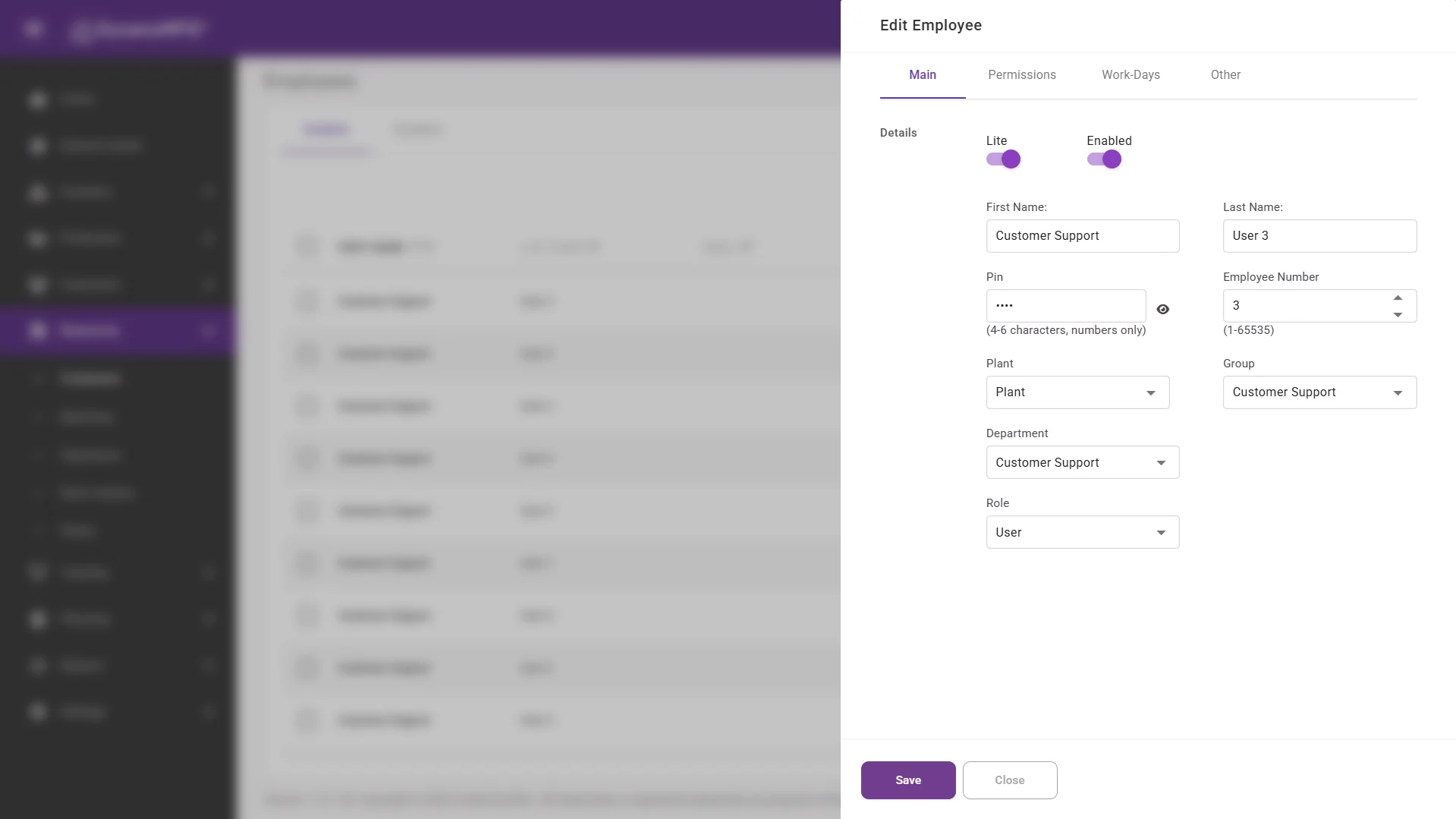
DynamxMFG structures your factory as plants, departments, work centres and machines. Each work centre is associated with the operations it handles, so when a job arrives at a work centre operators see only the work that belongs there.
Shifts are configured per department with working days, start and finish times and scheduled breaks. The system uses shift data to calculate capacity, auto-pause tracking during breaks, and display accurate availability in the demand scheduler.
- Plants, departments, work centres and machines
- Operators see only the work for their station
- Shifts drive capacity and break handling
Clocking and monitoring
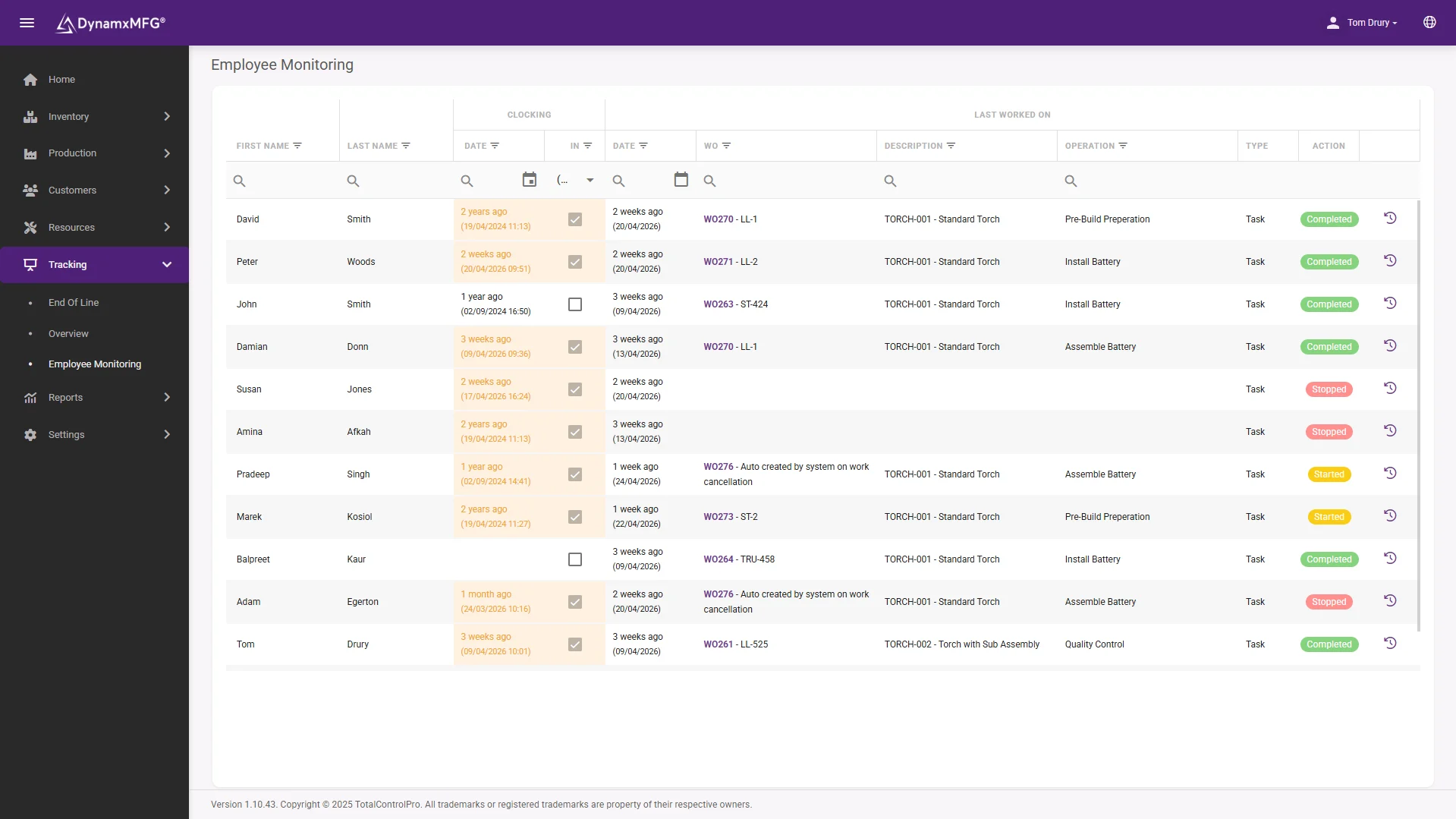
Every employee clocked, tracked and recorded without paper
Machine Assignments lets you drag work orders onto specific machines and set the sequence in which they run. Operators arrive at a machine and see exactly what order to work through, with no supervisor required to direct traffic.
Batching groups different items together for a shared operation such as a paint line, curing oven or press. Sequential batching lets downstream work begin as individual items finish, while simultaneous batching holds everything until the batch completes.
- Drag work orders onto specific machines
- Set the sequence operators work through
- Sequential or simultaneous batching per operation
Quality capture
Capture quality data at the point of production, not after the fact
Operations are the individual production steps: CNC machining, welding, inspection, assembly. Each operation is configured with its type, associated work centre, estimated time and any dynamic data capture fields required.
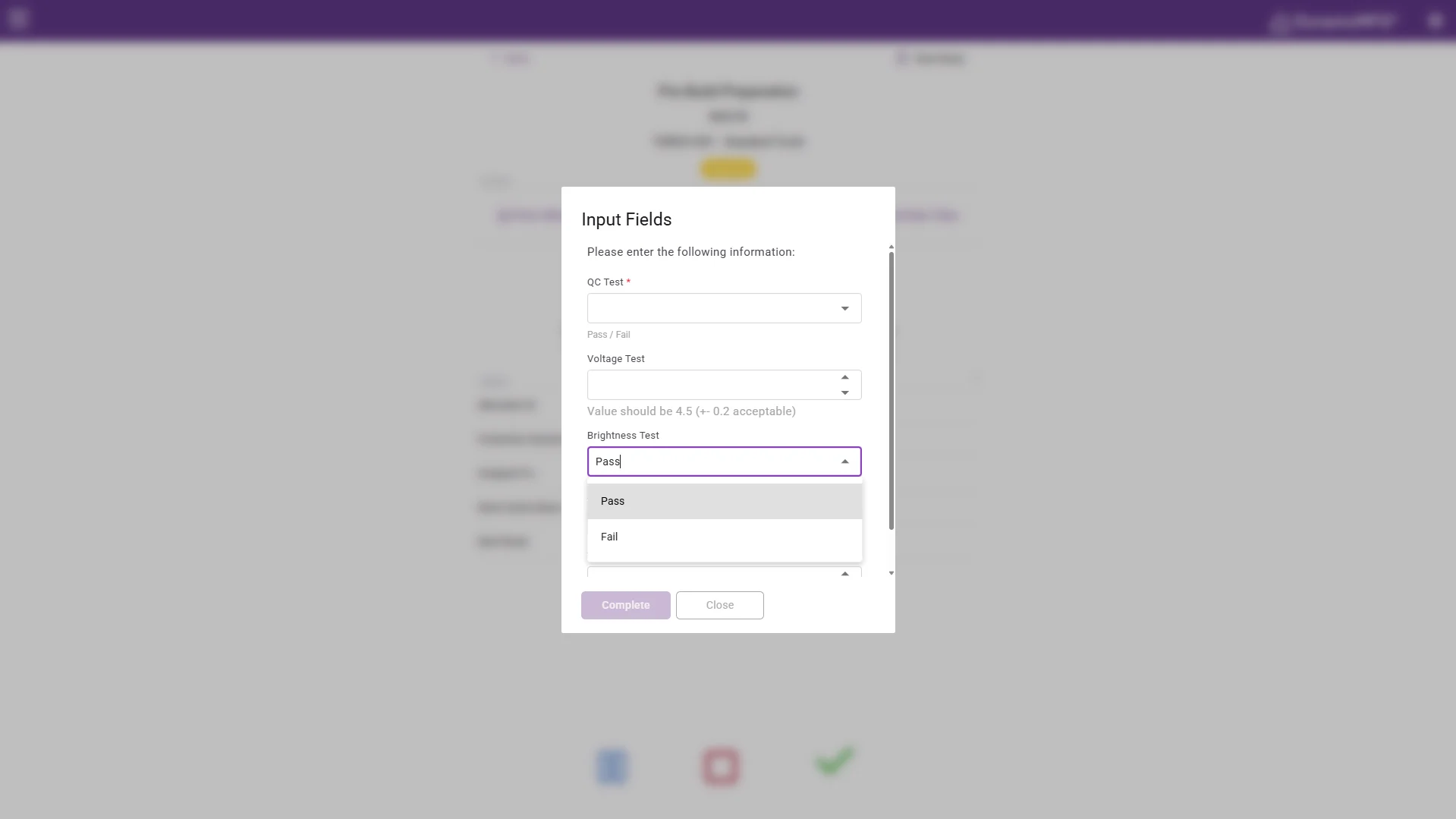
Dynamic data capture fields prompt operators at the point of completing an operation, for measurement values, inspection pass or fail, serial numbers and temperatures. Set any field as mandatory so an operation cannot close without the data, and view every captured value from the tracking overview.
- Custom fields on any operation
- Mandatory fields block closure until completed
- Captured values visible from the tracking overview
The detail
The rest of resources and workforce
Details that handle the edge cases of a real factory floor.
Employee groups and group work
Assign employees to groups for team-based operations. Multiple people track against the same task at once, and each person’s time is captured individually.
Z-codes for non-productive time
Create activity codes for cleaning, training, meetings and machine setup. Operators scan a QR sheet to log the time, and it appears in utilisation reports.
Device locking
Lock a touch screen device to a specific operation or machine, so operators on that device only see work for their station and cannot start something in another department.
Auto-switch operations
Configure operations to hand off automatically to the next step, so operators follow the part through a cell without navigating back to a menu.
Auto-pause on shift break
When a scheduled break starts, all active tasks pause automatically. Operators resume with a single tap afterwards and no tracking records are lost.
Batch and simultaneous operations
Configure operations as sequential or simultaneous batch types, grouping items through a shared process while still tracking individual completion times.
Connected
Workforce data that reaches the systems that need it
Clocking and tracked time feed straight into job costing and the utilisation reports, and completed work orders flow into Sage or Xero so labour cost lands against the job in your accounts automatically.
Because clocking is captured separately from production tracking, you get a clean attendance record for payroll alongside an accurate picture of productive time on the floor.
See all integrations →










Questions
Resources and workforce FAQs
How does the system know which job an operator should do?
Through your factory structure. Each work centre is associated with the operations it handles, and machine assignments set the sequence, so operators arriving at a station see only the work that belongs there in the order it should run.
Can we lock a tablet to one station?
Yes. Device locking ties a touch screen to a specific operation or machine, so operators using it only see work for that station and cannot accidentally start a job in another department.
How is clocking handled for payroll?
Clocking is captured separately from production tracking. You get a clean attendance record for payroll, alongside utilisation figures showing what proportion of paid time went into productive work.
Can we capture inspection data during production?
Yes. Dynamic data capture fields prompt operators when completing an operation for measurements, pass or fail results, serial numbers or temperatures, and any field can be made mandatory so the operation cannot close without it.
What happens to tracking during shift breaks?
Active tasks pause automatically when a scheduled break starts and resume with a single tap afterwards, so break time is never counted as production time and no records are lost.
How long does it take to map our factory?
It is part of the 90 day onboarding. We set up your plants, departments, work centres, machines, shifts and operations with you, so the structure reflects how your factory actually runs.
Related
Explore further
The capability pages, definitions and reading that sit behind this part of DynamxMFG.
See your team and factory structured in DynamxMFG
Book a 15 minute demo. We will map your departments, shifts and operations into the system and show you exactly how tracking would work for your team.
Book a Demo

