
Job tracking
Job tracking software for manufacturers
Answer where is my order in about four seconds, from a screen, without sending anybody onto the shop floor to go and look.
Definition
What is job tracking software?
Job tracking software shows the live status of every job in the factory: which operation it has reached, who is working on it, how long it has been there, and whether it is going to hit its date. It is one view within wider shop floor tracking software that also shows every machine and operator live.
It is the difference between knowing a job is somewhere in production and knowing it finished welding at 11:40, has been waiting for inspection since, and is now four hours behind the schedule it needs to keep.
The four second test is a fair one. If a customer rings and asks about order 4471, the person answering should be able to tell them, on the call, without a promise to ring back. Most factories cannot do this, and the ringing back costs more than anyone measures.
See it live
Every job, every operation, right now
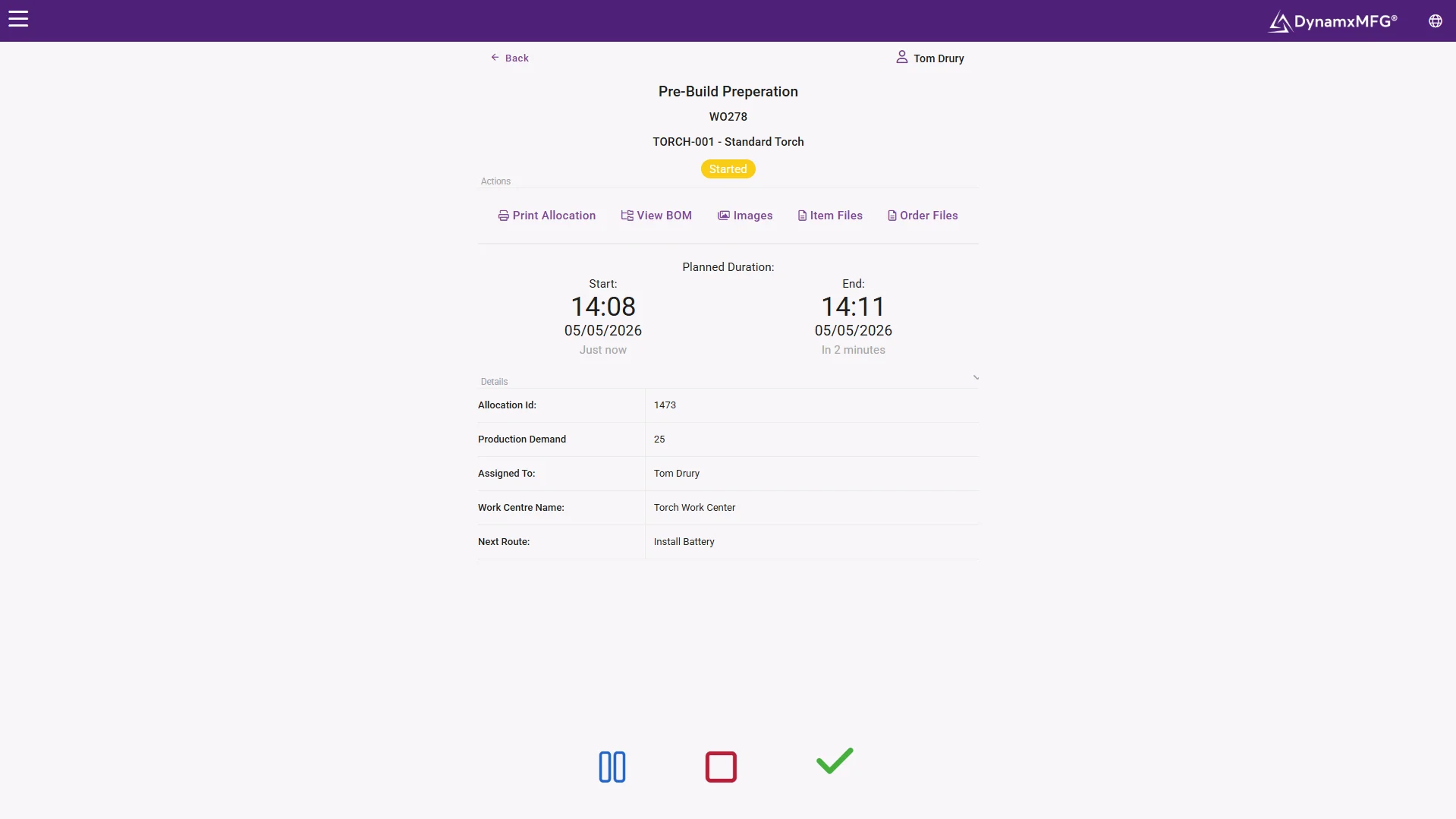
The live floor view answers the only question that matters at 4pm on a Thursday: where is it and is it moving. Every works order, its current operation and how long it has been there.
No status fields to maintain. Position is derived from bookings, which is why it is still accurate in the busiest week of the quarter.
- Whole order book on one screen
- Dwell time visible at every step
- Search by order, part or customer reference
How it works
How job tracking works
Tracking is a consequence of capture. If nothing is being recorded at the operation there is nothing to track.
Jobs carry an identity
Each works order gets a barcode or QR code that travels with it, on the paperwork, the container or the part itself.
Operations are booked
Operators scan the job and book on and off at each step, so the system knows exactly where it is and when it got there.
Status is derived, not entered
Nobody updates a status field. Position, elapsed time and progress are calculated from the bookings themselves.
Delays surface on their own
A job sat at an operation longer than expected is flagged, rather than waiting to be noticed by whoever walks past.
Capabilities
What job tracking gives you
Live position
Which operation each job is at, right now, across the whole order book.
Elapsed and remaining
How long it has been in production and what is left to do.
Queue and dwell time
How long jobs sit waiting between operations, which is where lead time hides.
Late job flagging
Orders that will miss their date, surfaced early enough to act.
Search by anything
Find a job by order number, customer reference, part number or batch.
History per job
A complete timeline of what happened to it and when.
At the end of the line
Despatch that closes the loop
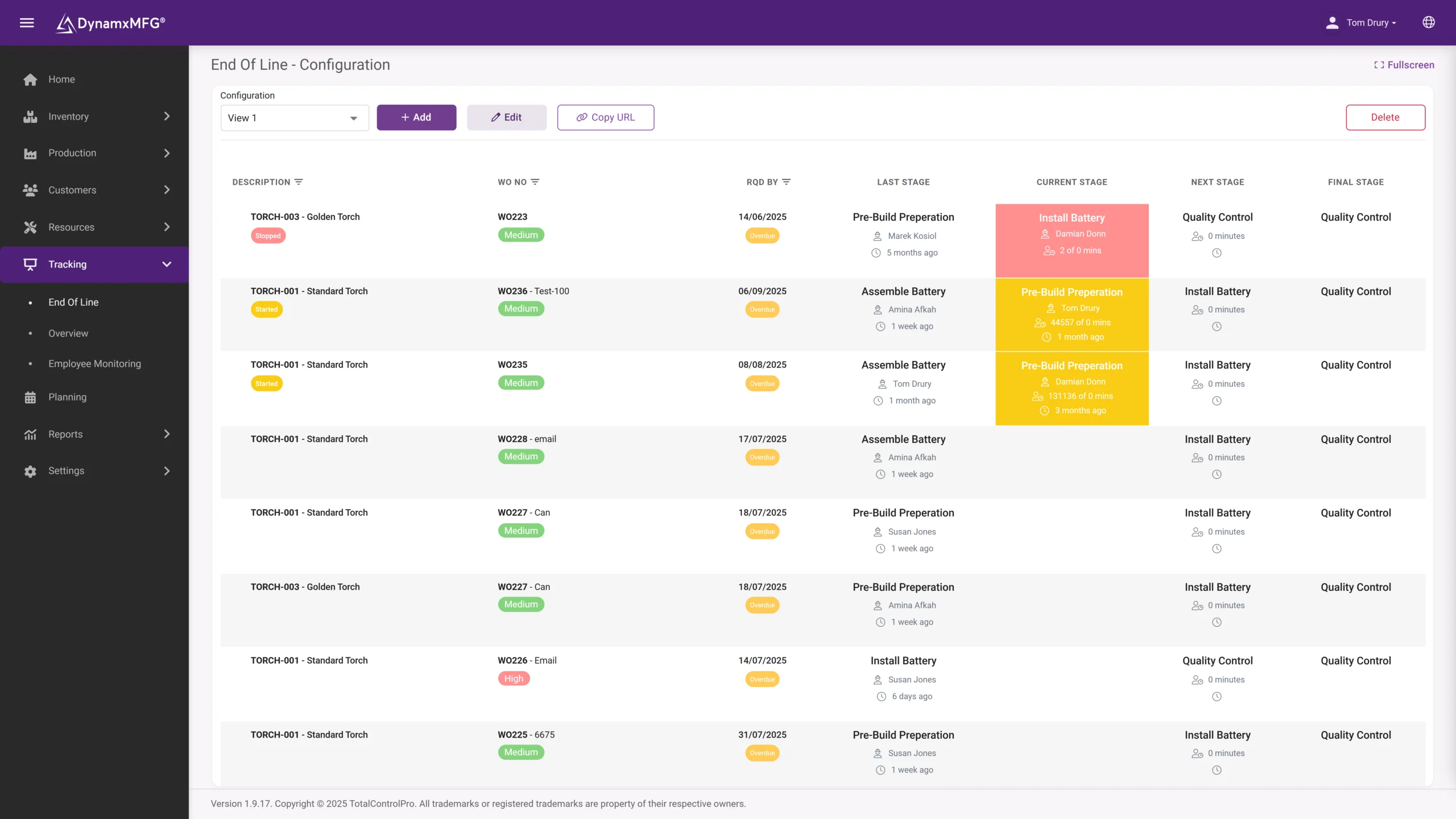
End-of-line tracking confirms what shipped, when and to whom, so the answer to the customer is complete from first operation to the van.
Late-risk jobs surface early enough to do something about them, which is the entire difference between a conversation and a complaint.
- Complete timeline per job
- Despatch linked to the order
- Late jobs flagged operations earlier
Benefits
What tracking changes
Job tracking rarely makes production faster on its own. It makes the business around production far less expensive to run.
The office stops interrupting the floor
Every customer chase currently ends with somebody walking into the factory. That interruption costs the person asking and the person building.
Customers get better answers
Telling a customer on Tuesday that Friday is at risk is a conversation. Telling them on Friday is a complaint.
Lead time gets attackable
Once you can see dwell time between operations, you usually discover most of your lead time is queuing, not working. That is far cheaper to fix than buying capacity.
Nobody is the system
When job status lives in one experienced person's head, the business stops when they are on holiday. Tracking removes that dependency.
Tracking vs costing
Job tracking or job costing?
They come from the same bookings and answer different questions. Most factories want both, but they usually feel the need for one first.
| Job tracking | Job costing | |
|---|---|---|
| Question | Where is it and will it be on time? | What did it cost and did we make money? |
| Used during | While the job is running | After the job closes, and at quoting |
| Used by | Sales, planners, supervisors | Finance, directors, estimators |
| Time sensitivity | Immediate, value decays in hours | Retrospective, value builds over time |
| Key measure | Elapsed and remaining time | Actual versus quoted cost |
| Both need | Operators booking at every operation | Operators booking at every operation |
Right for you?
When you need job tracking
The clearest signal is how your business answers a simple question from a customer.
- Answering where is my order requires a walk, a phone call or a shout across the workshop.
- Sales avoid promising dates because they have no confidence in what production will do.
- Jobs are discovered to be late at the point they should have shipped.
- Your live job status exists on a whiteboard that only one room can see.
- You run enough concurrent jobs that no individual can hold them all in their head.
- Expediting is a regular activity rather than an exception.
DynamxMFG
Tracking that stays true without being maintained
Any tracking system that relies on somebody updating a status is a tracking system that will be wrong by Wednesday. The status has to be a by-product of doing the work, not an additional task.
In DynamxMFG, job position comes from the bookings operators make as they run the work. Nobody maintains it, which is exactly why it stays accurate during the weeks when the factory is too busy to maintain anything.
Status from bookings
Position derived from real operation bookings. See shop floor data capture.
Whole order book
Every live job on one screen. See order management.
Exceptions first
Late and stalled jobs pushed up rather than looked for. See manufacturing intelligence.
Integrations
Connects to what you already run
Tracking answers customers fastest when it reaches the people who talk to them. DynamxMFG connects to HubSpot, Salesforce and your inbox, so sales see live job status without ringing the factory.
See all 33 integrations →











Customers
What manufacturers say about DynamxMFG
“DynamxMFG is an excellent choice for manufacturers looking to digitise operations without being overwhelmed by complexity.”
“As GMC has grown, it had become harder for me to have such a keen view on components to see if those parts were profitable or not. DynamxMFG enabled us to monitor the machine time and see whether we are making a profit or a loss on each component.”
“The ability to dynamically modify BOMs after release, adding or removing items from work orders, scrapping and reworking parts, has been the single biggest improvement for our business.”
“We chose the system over competitors because of its ease of use, strong customer support and friendly delivery team. So far, everything has matched what was promised.”
“With DynamxMFG, all our production processes are tracked and the relevant data is captured. This increases our control over the business and helps us identify more opportunities to enhance efficiency and quality.”
“Our experience has been positive, and it was definitely worth switching. The support we have received has been extremely helpful. My favourite feature is the integration and automation capabilities.”
Questions
Job tracking questions, answered
How is this different from an MES?
Job tracking is one thing an MES does. If tracking is genuinely your only problem you may want something narrower, but most factories that want tracking also want costing and scheduling from the same data.
Can customers see their own job status?
Some manufacturers expose a limited view to key customers, and it removes a lot of chasing. It only works if your internal data is reliable first.
What granularity should we track at?
Operation level is the useful minimum. Tracking only start and finish of the whole job tells you it is late but not where the problem is.
Does this need barcodes?
It needs some way to identify a job quickly. Barcodes are cheapest and most reliable. Typing job numbers works but slows booking down, and slow booking gets skipped.
What about work that goes out to subcontract?
Subcontract should be an operation in the routing like any other, with a booking out and a booking back, otherwise jobs vanish from view for weeks at a time.
How quickly can we get this live?
Tracking is usually the first thing live because it needs only routings and capture. DynamxMFG deploys in 90 days including everything else.
Related reading
Read next
Background reading on job tracking software from the DynamxMFG glossary and blog.
Ask us where a job is
Book a 30 minute call. We will put a live order book on screen and you can pick any job and see its full history.


