
Feature · Order Management
Every order tracked.
Every job started on time.
From the moment a customer enquires to the moment goods leave the building. One place to manage sales orders, trigger production, and keep everything moving.
The problem
Orders fall through the gaps when nothing talks to anything
Most manufacturers run orders across a mix of email threads, spreadsheets, and a back-office system that does not connect to the shop floor. Jobs start late. Stock gets allocated twice. Nobody knows what is urgent.
Orders live in inboxes and spreadsheets
Sales orders get created in one place, noted in another, and chased via email. Whoever is on holiday takes the order history with them.
Work orders created by hand, if at all
Someone has to manually raise a work order for every sales order line. That introduces errors, delays, and jobs that never make it to the shop floor.
No confident answer to "where is my order?"
Customers chase. Managers go looking. The shop floor does not know what is urgent and what is not. Everything feels reactive because it is.
Quote to job
Turn a quote into a running job in two clicks
Raise a quote, convert it to a sales order, release it, and DynamxMFG automatically creates the work order on the shop floor. No re-keying. No manual handoff. No waiting for someone to update the planning board.
Every sales order carries the customer’s full details, pricing, delivery address and required quantities. Need to add a note or attach a drawing? It all lives on the same record.
- Quote to sales order to work order, automatically
- Customer details, pricing and delivery on one record
- Drawings and notes attached to the order itself
Snapshot Builder
Customise every order without touching the master BOM
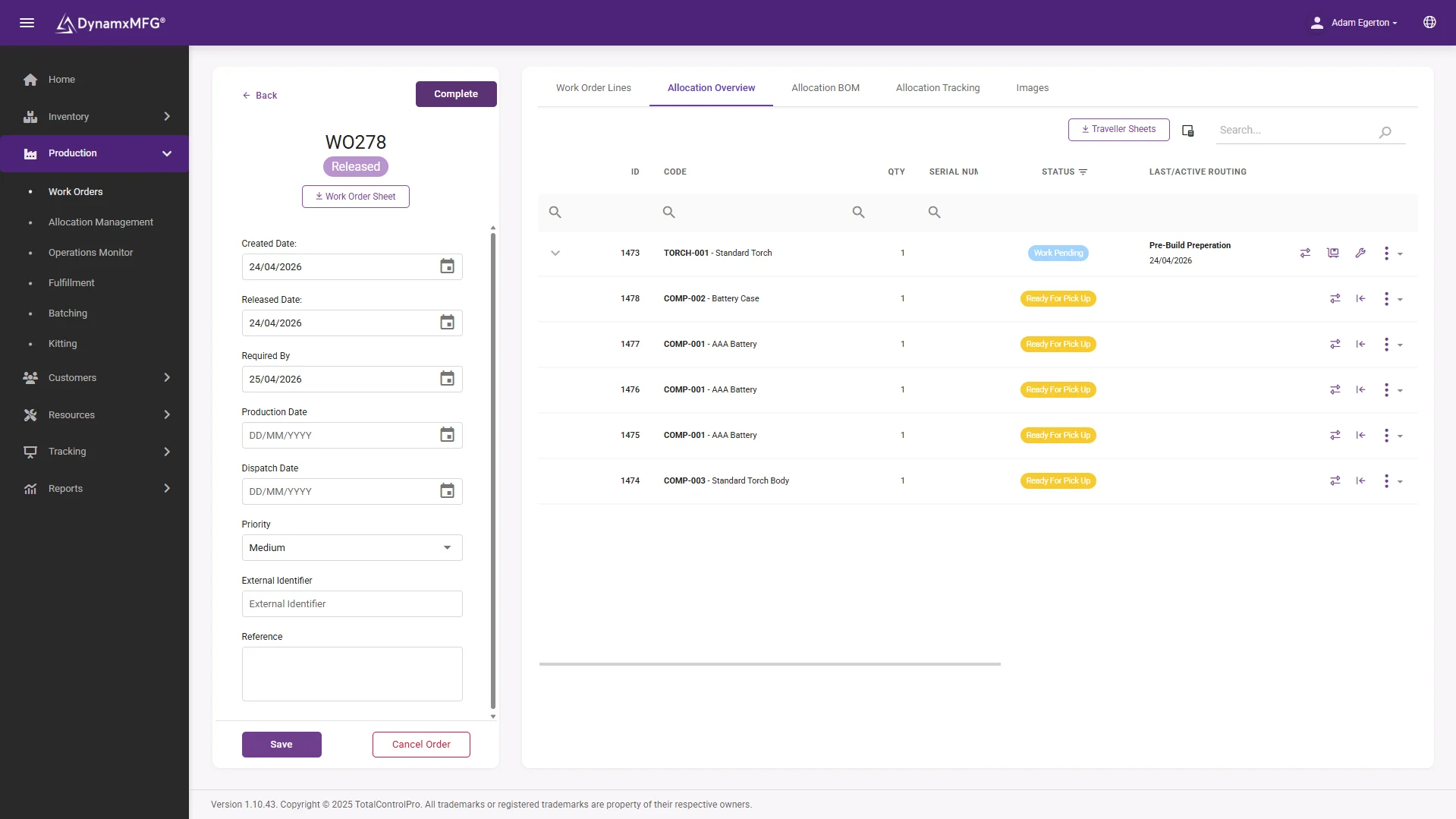
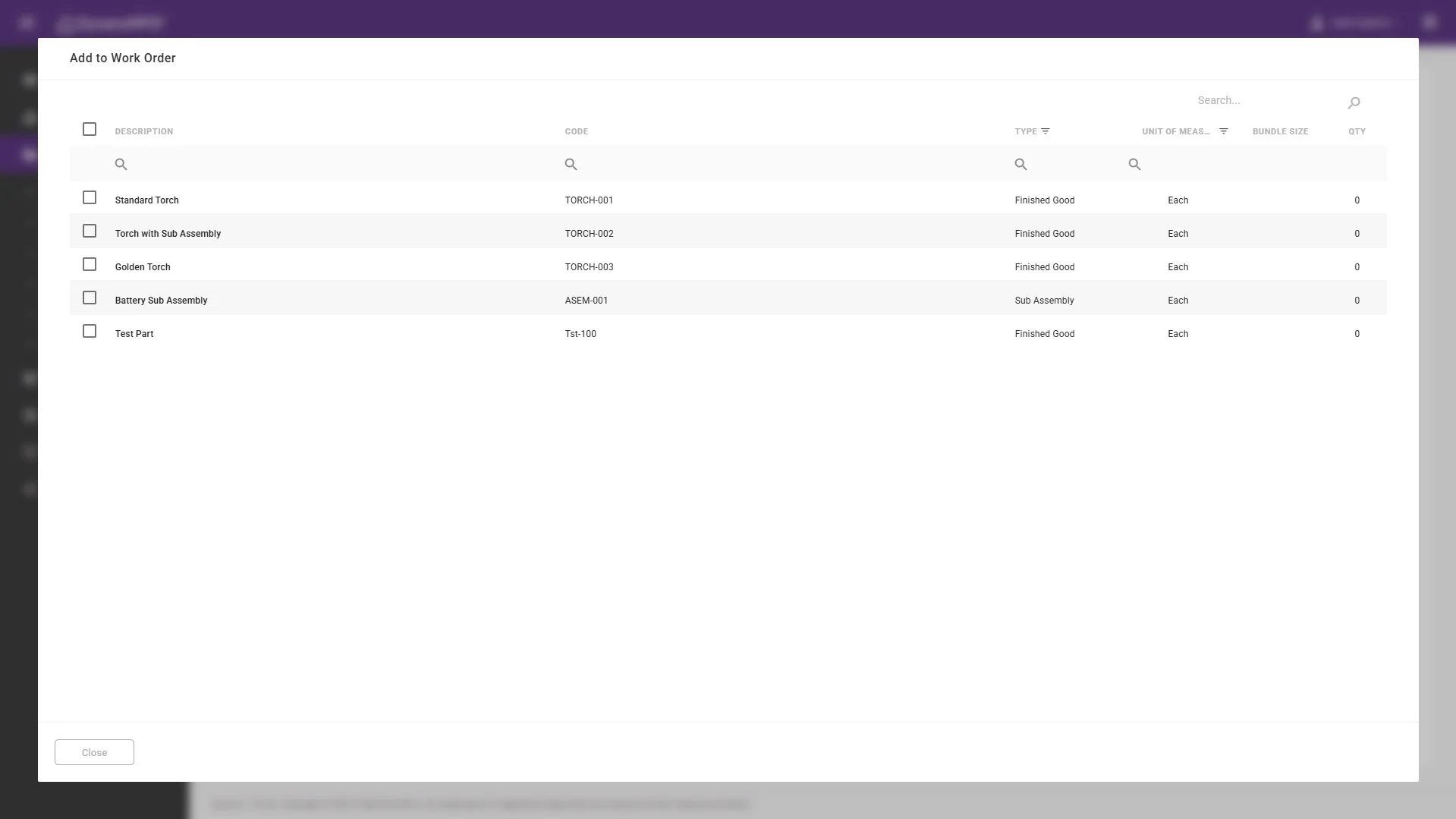
When a customer needs something slightly different, a different material, a different finish, an extra operation, you should not have to create a new product record or modify the standard build to accommodate it.
The Snapshot Builder lets you create a per-order version of the BOM and routing. Change materials, swap components, add or remove operations. The master record is untouched, and the shop floor gets the right build instructions for that specific job.
- A per-order BOM and routing, built in seconds
- Your master product record stays clean
- Operators see the correct build for that job
Demand Scheduler
See what is scheduled and what is overloaded
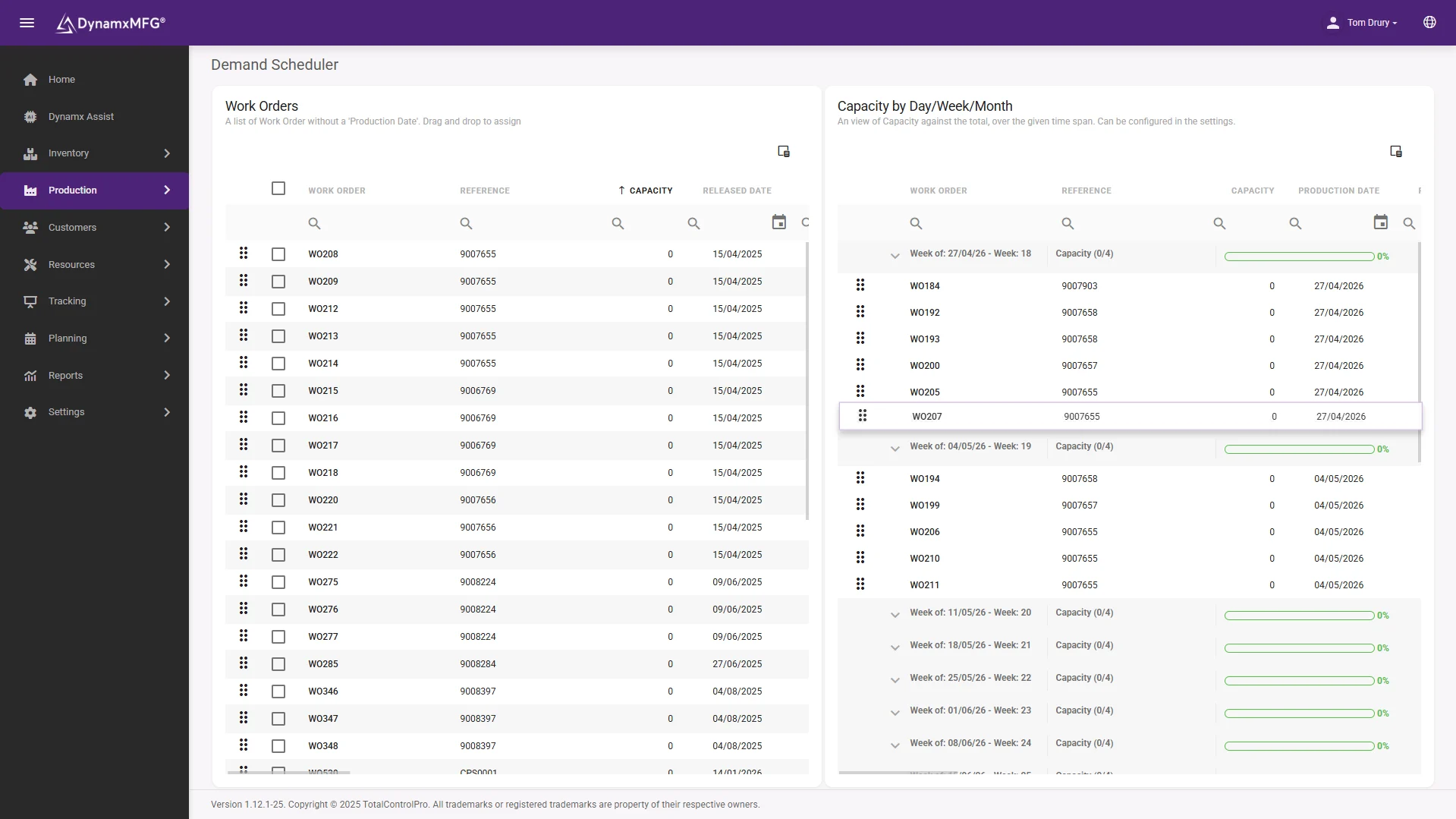
The diary view shows every open order mapped against your production calendar. Filter by production date, received date or delivery date. See total demand against available capacity before you commit to a customer.
The Demand Scheduler lets you drag unscheduled orders into capacity buckets, by day, week or month, with a live progress bar that turns red when you have overcommitted. Reschedule by dragging between buckets, with no planning spreadsheet to update.
- See demand against capacity before you promise a date
- Drag to reschedule between day, week or month
- A live warning the moment you overcommit
The detail
Everything else that comes with order management
The details that make the difference between a system you use every day and one you work around.
Auto-dispatch
When production completes, dispatch the order in one click. Reference auto-generated, stock levels updated, accounts system notified.
Bulk order release
Select all draft or quote orders and release them in a single action. Useful at the start of each production week.
Order priority
Flag orders as high priority and the status propagates to the shop floor. Operators see what is urgent without being told.
Flexible pricing
Price sales orders from selling price, average cost, standard cost or current cost. Or generate pricing from your BOM with a margin on top.
Files and notes per order
Attach drawings, specs or customer documents directly to the sales order. Notes are visible to anyone who opens the record.
Custom order fields
Add your own fields to every sales order: project codes, customer references, compliance codes. Searchable across all orders.
Connected
Your orders, your accounts system, connected
DynamxMFG connects to Sage and Xero so sales orders flow both ways. Customers, contacts and pricing sync automatically. No double entry and no month-end reconciliation headaches.
CRM integration means your deals can trigger sales orders directly, closing the loop from first enquiry to finished product.
See all integrations →










Questions
Order management FAQs
Does DynamxMFG replace our sales order process?
It replaces the spreadsheets and email threads around it. You raise a quote, convert it to a sales order and release it, and the work order is created on the shop floor automatically. Your accounts package stays where it is.
Can we change one order without affecting the standard product?
Yes. The Snapshot Builder creates a per-order version of the BOM and routing, so you can swap materials or add an operation for a single customer order while the master product record stays untouched.
How does an order reach the shop floor?
Releasing the sales order creates the work order automatically. Operators see it on the Smart Worker Interface with the correct build instructions for that job, including any per-order changes.
Can we see capacity before promising a delivery date?
Yes. The Demand Scheduler maps open orders against your production calendar and shows total demand against available capacity, with a live warning when a day, week or month is overcommitted.
Does it connect to Sage or Xero?
Yes, two-way. Sales orders, customers, contacts and pricing sync between DynamxMFG and Sage or Xero, so there is no double entry. QuickBooks and CRM systems such as HubSpot connect as well.
How long before we are running orders through it?
Ninety days. We configure DynamxMFG around how your order process already works rather than asking you to change it, and migrate your customers, parts and open orders as part of onboarding.
Related
Explore further
The capability pages, definitions and reading that sit behind this part of DynamxMFG.
See your orders running through DynamxMFG
Book a 15 minute demo. We will show you how your order types work in the system, not a scripted walkthrough of ours.
Book a Demo

